

DS-3000 Frequently Asked Questions
Question Number FAQ-0736
Windows 10 does not recognize the Protect Key, DS-0299 ONO-LINK2 (USB), DS-0399 ONO-LINK3 (USB).

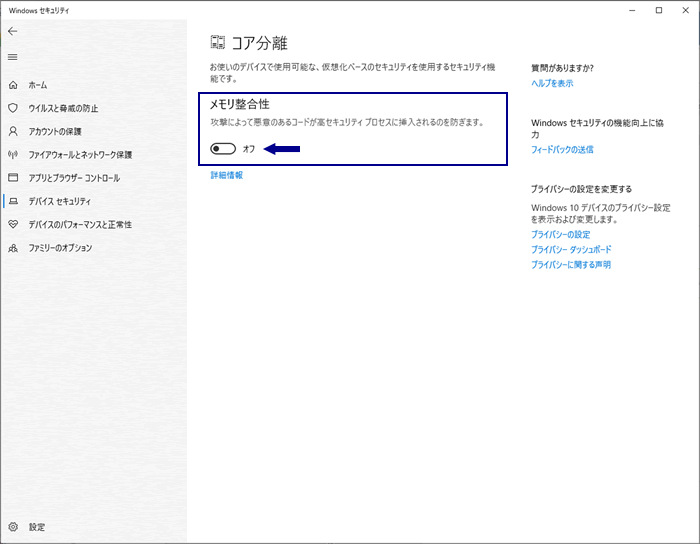
Please turn off memory consistency settings.
Settings location: (Settings may vary depending on OS version)
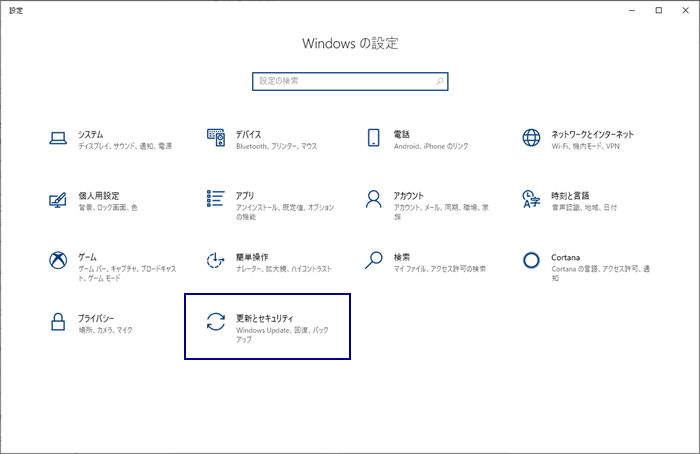
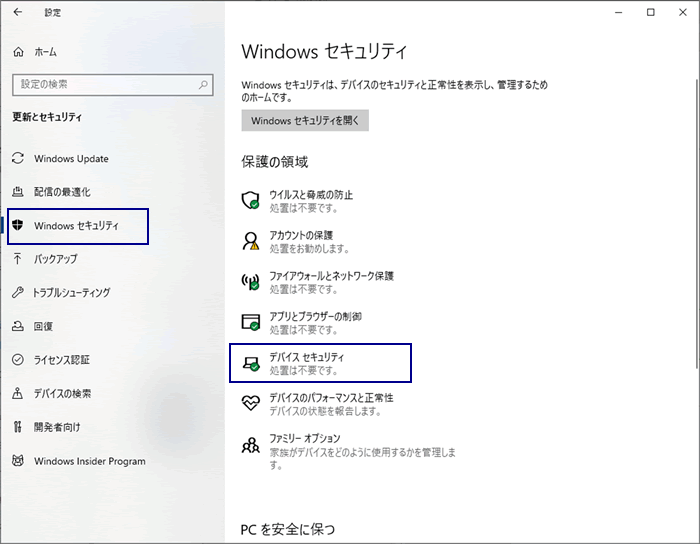
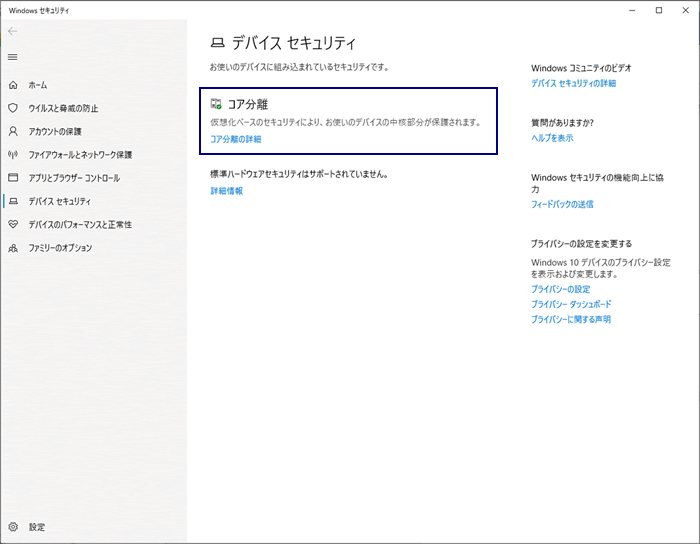
Update & Security > Windows Security > Device Security > Core Isolation > Memory Integrity
- Open Windows settings and go to Update & Security.
- Open Device Security from Windows Security.
- Open Core Isolation from Device Security.
- Select 'Off' for memory consistency in core separation.
Windows 10 バージョンが、※ 2004や2010 で本現象は発生する可能性があります。
Windows 10 のバージョンをご確認ください。
※ Windows 10 のバージョン確認方法
「設定」 ⇒ 「システム」 ⇒ 「バージョン情報」 ⇒ 「Windowsの仕様欄」
Please also see the related FAQ.
"After installing from the new CD-ROM, the protection key is not recognized."
If the license key is not recognized.
Last updated: 2020-11-06