

DS-2000 Frequently Asked Questions
Question number FAQ-0666
Method for frequency band limitation and inverse Fourier transform (IFFT) of the Fourier spectrum.
The operation of applying frequency band limitation and performing the inverse Fourier transform (IFFT) is as follows.
Operation Procedure
- Open a new project.
- Click on the [Window (Window Function) Settings] in the input menu to open the window settings page.
- Select the rectangular window and click OK.
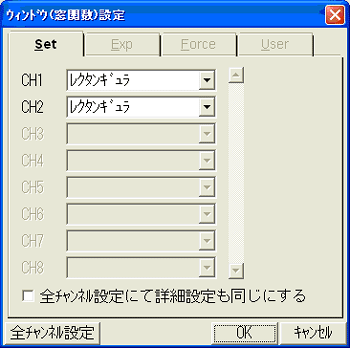
Figure 1
Display the time axis and Fourier spectrum in two screens for IFFT, and stop the measurement.
To display the Fourier spectrum, click on the 'Input Source Settings' in the data display menu and select 'Fourier Spectrum' on the 'Input Source Settings' page.
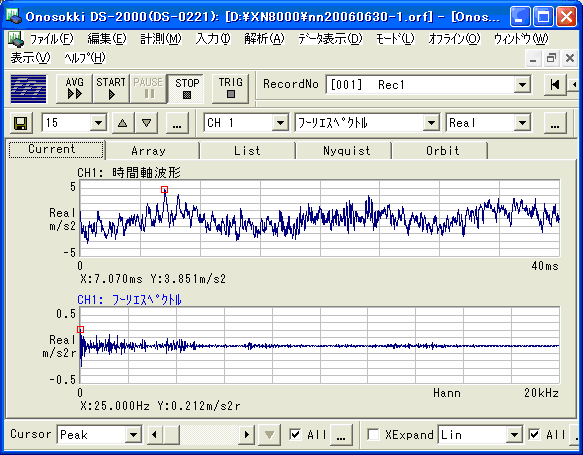
Figure 2
Set the 'Cursor' item in the data display menu at the bottom of the screen from 'Peak' to 'Delta'.
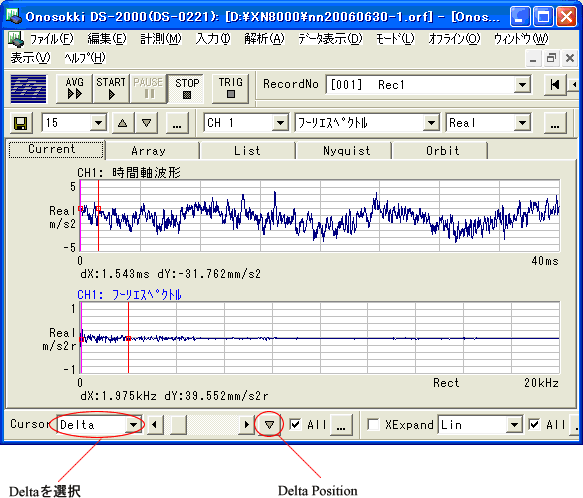
Figure 3
- On the Fourier spectrum screen, click with the mouse or use the ← → keys to position the cursor (red vertical line) at the desired lower frequency limit, and then click on 'Delta Position'. The red vertical line will change to pink, and the lower frequency limit will be set. (Figure 3)
- Similarly, click on the lower frequency you want to limit with the mouse and fine-tune it using the ← → keys to align the cursor (red vertical line). The bandwidth will be limited by the pink line and the red line. (Figure 3)
- Click on the 'IFFT Settings' in the analysis menu to open the 'Data Secondary Processing' page.
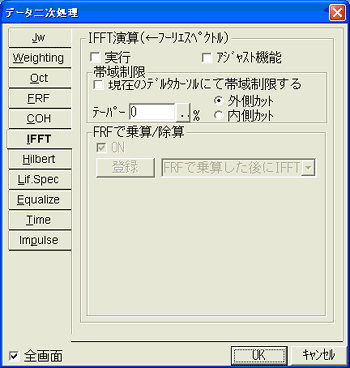
Figure 4
In the section of the "Data Secondary Processing" page, check the item "Limit bandwidth with the current delta cursor." Then, check the item "Execute" and click "OK" to perform the IFFT of the Fourier spectrum, which will display the time-domain waveform that is frequency-band limited. (Figure 4)
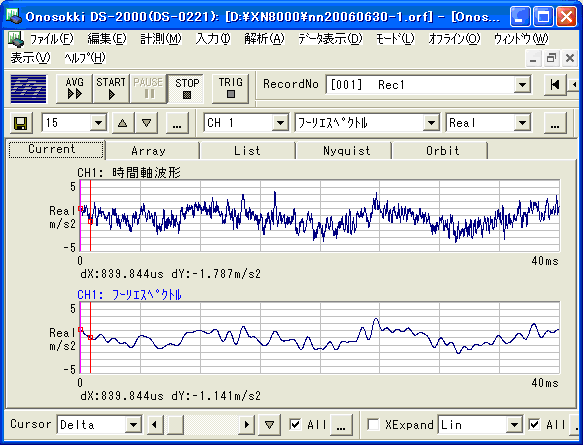
Upper screen: Time axis original data Lower screen: Result of IFFT with frequency band limitation.
Figure 5
If you want to change the frequency band, click on 'IFFT Settings' in the analysis menu to open the 'Data Secondary Processing' page, turn off the 'Execute' checkbox, and click OK to return to the display of the Fourier spectrum. Then, repeat the operations in items (6), (7), and (8) above.
Supplement
The data after IFFT cannot be treated as a time-domain waveform in this form. Please refer to "How to treat IFFT waveforms as time-domain waveforms".
Last updated: July 18, 2006