

sound level meter Frequently Asked Questions
Question number FAQ-1232
Can the calibration history of the LA-7000's acoustic calibration be managed?
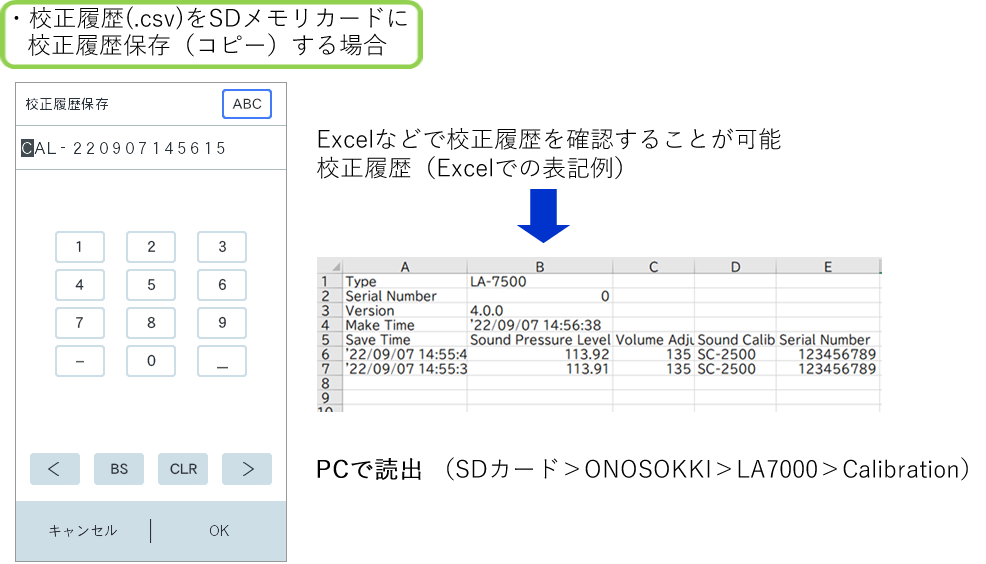
calibration You can easily save your history to a file.
Steps to save and query the history of the audio calibration
・Entering the calibration sound mode ・CAL mode
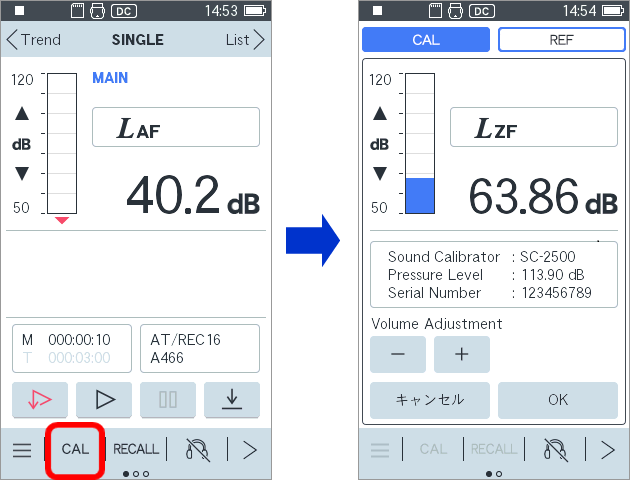
・You can register the audio calibration you will use.
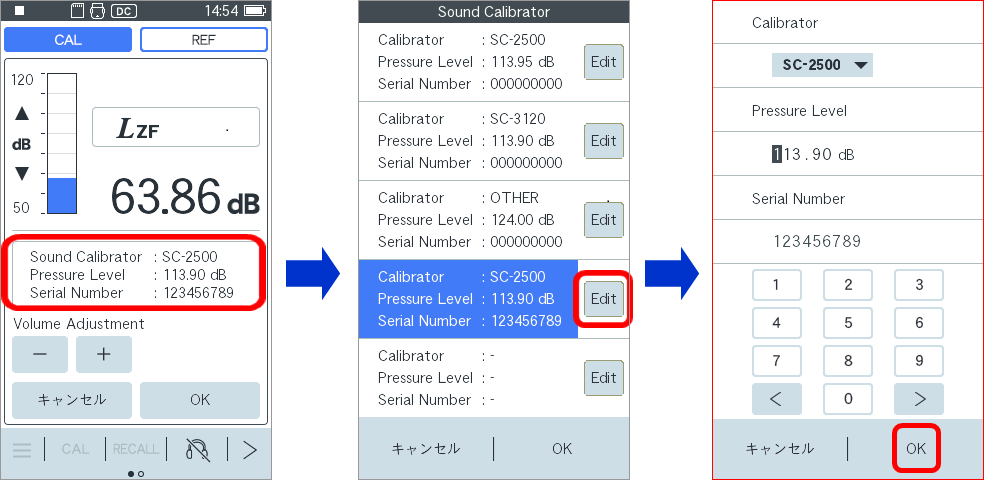
- Audio calibration (Quietly insert the microphone with the acoustic calibration device turned off)
Check or make fine adjustments to about 113.9 dB, and always press OK. (Save complete)
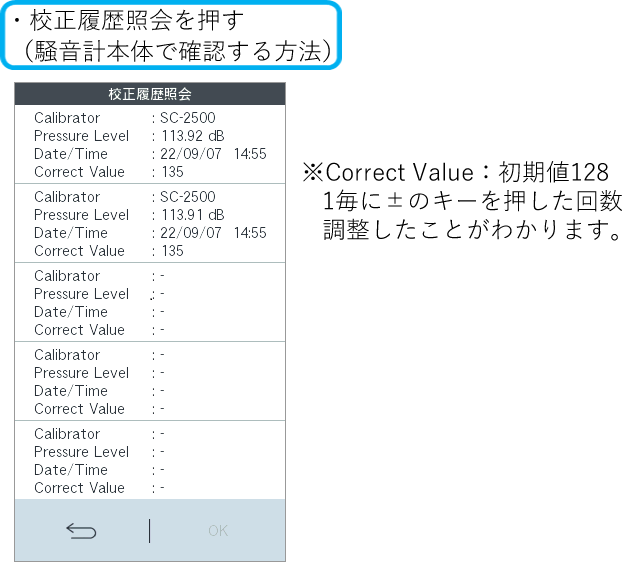
calibration used, calibration values, date and time, adjustment amounts, and more are stored in internal memory
* If you press cancel and exit, the information will not be reflected
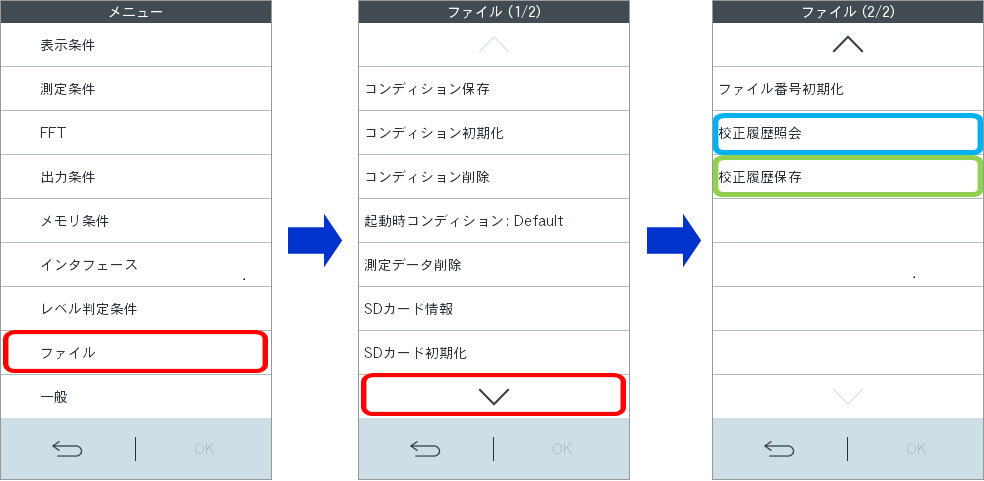
- calibration When checking the results (history) on the device or copying to an SD card
Last updated: 2022-09-15