

sound level meter Frequently Asked Questions
Question number FAQ-1210
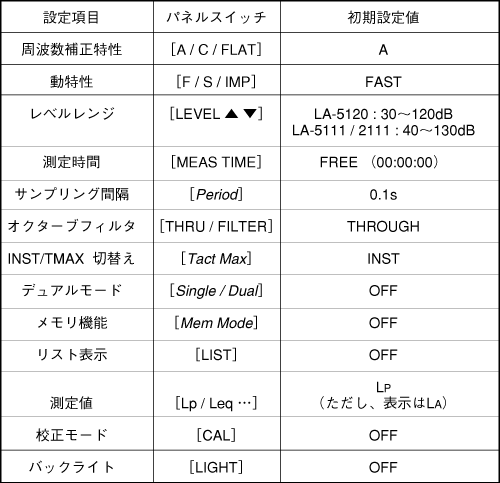
List of Initial Settings
1. Release of panel condition memory.
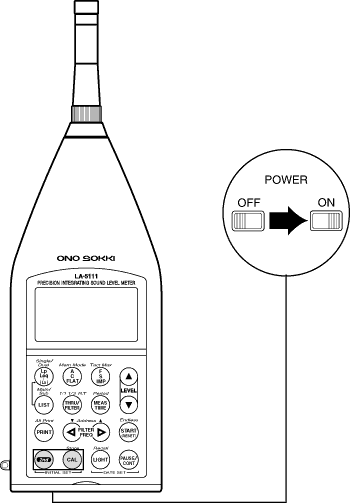
By pressing the panel switch [2nd] and [CAL] while turning the power ON, the panel condition memory function is released, and the sound level meter starts up in the initial setting state (factory default state).
Memo
- Even if you release the panel condition memory and start it up, the data stored in the memory will not be cleared.
- The panel condition memory function is valid as long as the internal battery is charged. However, if the internal battery discharges, the data in the panel condition memory and the data stored in memory will be cleared. Please be aware.
List of Initial Settings
Last updated: 2001-10-12