

sound level meter Frequently Asked Questions
Question number FAQ-1203
Overview of Memory
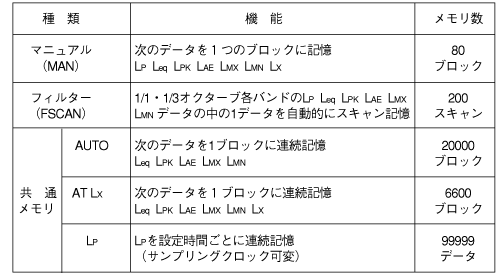
1. Type of memory
There are five types of memory. Please use them according to their applications and purposes.
2. Starting Memory Mode
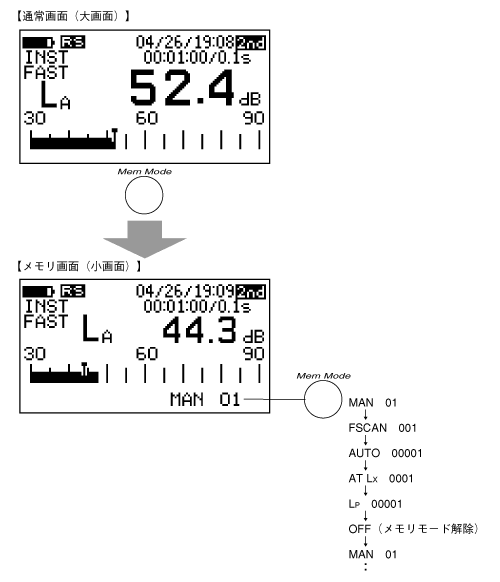
Pressing the panel switch [Memory Mode] of Function 2 activates memory mode, switching the normal screen (large screen) to the memory screen (small screen). Furthermore, pressing the panel switch [Memory Mode] of Function 2 again will switch the type of memory mode.
<Memo>
- The panel switch [Memory Mode] does not function during memory data recall. Please release the panel switch [Recall] and then press the panel switch [Memory Mode] again.
- For information regarding memory clearing, please refer to Chapter 2, Section 2.4 on the functions and operations of the composite switch.
Last updated: 2001-10-12