

sound level meter Frequently Asked Questions
Question number FAQ-1192
List of panel switch operations and functions
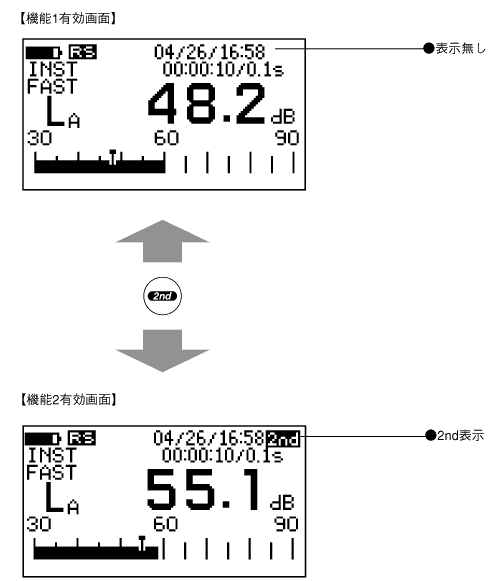
1. Switching the function switch (Pay attention to the 2nd button!)
There are two types of composite switches that function by pressing the NEL switch simultaneously. The function switch has function 1 and function 2, which switch each time the panel switch[2nd]is pressed. When function 1 is selected, the function engraved on the panel switch becomes active. Additionally, when function 2 is selected, the function engraved in italics on the panel switch (displayed in blue) becomes active, and the mark "2nd" in the upper right corner of the screen is displayed in reverse.
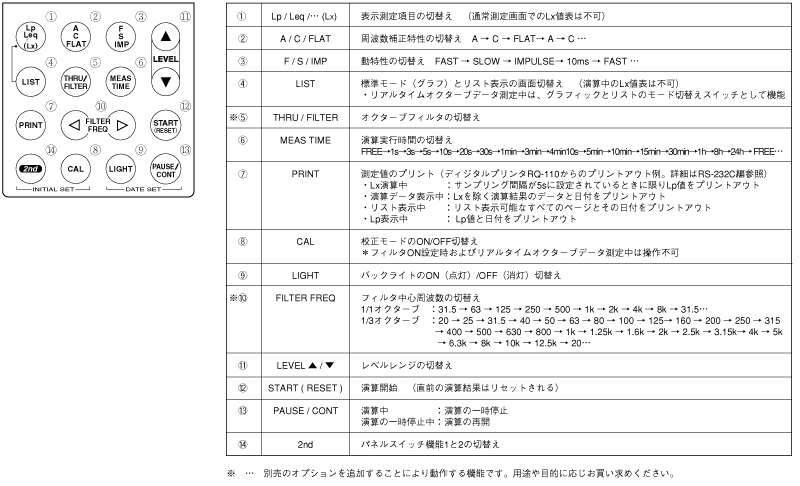
Function 1 Panel Switch Function List
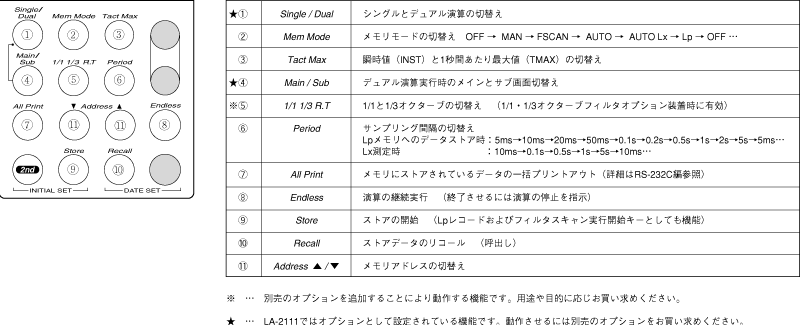
Function 2 Panel Switch Function List
4. Functions and Operations of the Composite Switch
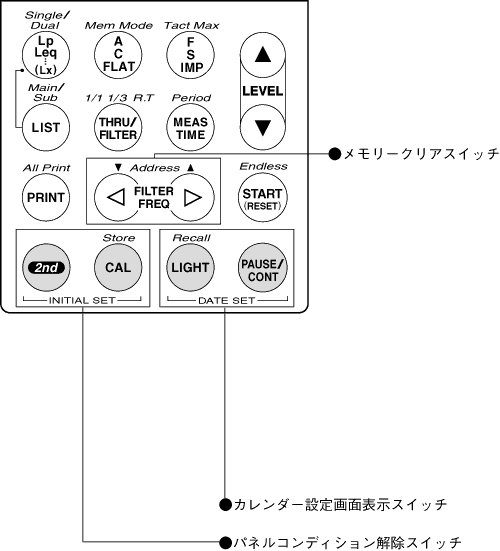
The composite switch functions by pressing two panel switches simultaneously. It has three functions: panel condition release, calendar setting screen display, and memory clear. For details on each function, please refer to "Chapter 1 Preparation of the sound level meter."
Panel Condition Release (INITIAL SET)
While pressing the panel switch [2nd] and [CAL] simultaneously, turn the power ON to release the panel condition, and the sound level meter will start in the initial setting state. Note that it is labeled as [INITIAL SET] on the panel switch.
Display of the calendar settings screen (DATE SET)
While pressing the panel switches [LIGHT] and [PAUSE/CONT] simultaneously to turn the power ON, the software version inside the sound level meter, the presence or absence of optional attachments, and the screen for calendar settings will be displayed.
Note that it is labeled as [DATE SET] on the panel switch.
■Memory Clear
Pressing the panel switch [FILTER FREQ] while turning on the power will clear all memory. The type of memory to be cleared cannot be selected.
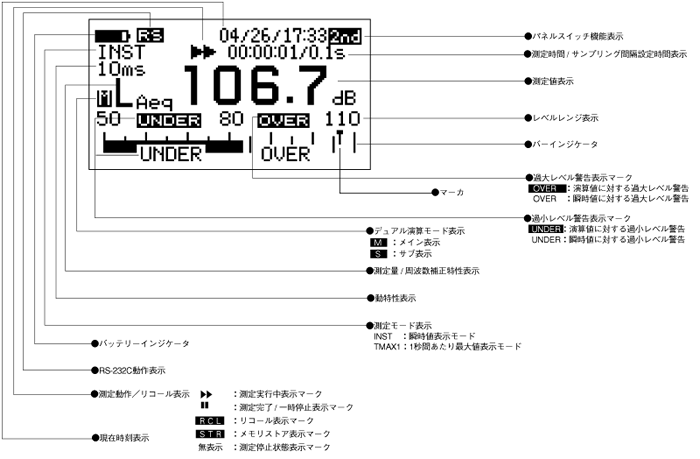
3. Display name of the standard mode screen (large screen)
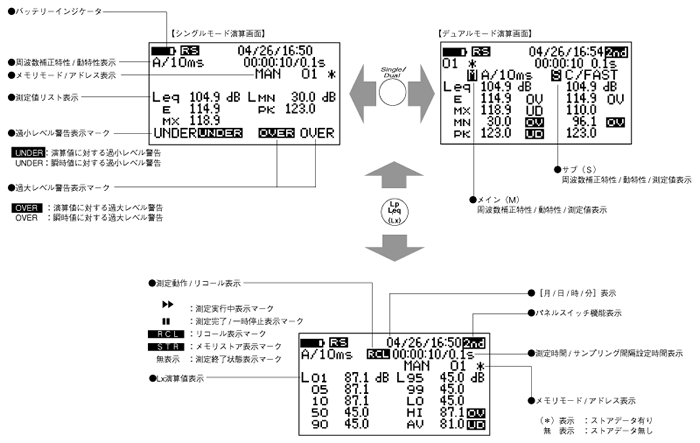
4. Name of the list mode screen.
Last updated: 2001-10-12