

sound level meter Frequently Asked Questions
Question number FAQ-1191
Display screen switching and names of each part.
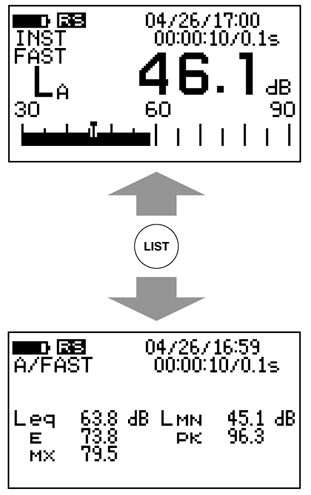
1. Method for switching display screens.
The screen has a standard mode and a list mode, which can be switched using the panel switch [LIST]. Each time the panel switch [LIST] is pressed, it toggles between standard mode and list mode.
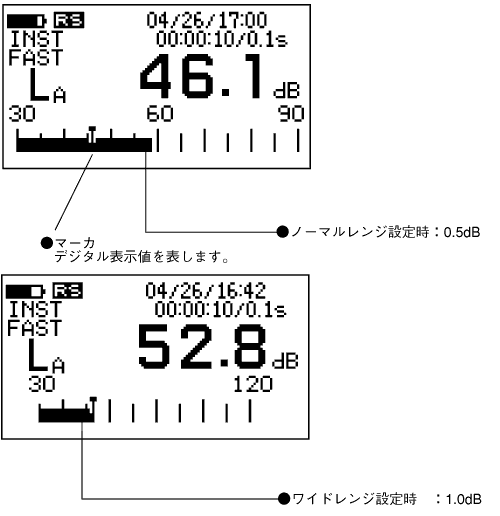
Bar indicator and marker display
The resolution of the bar indicator is 0.5 dB when set to normal range mode and 1.0 dB when set to wide range mode.
<Memo>
You can switch screens during operations, except for the L x value.
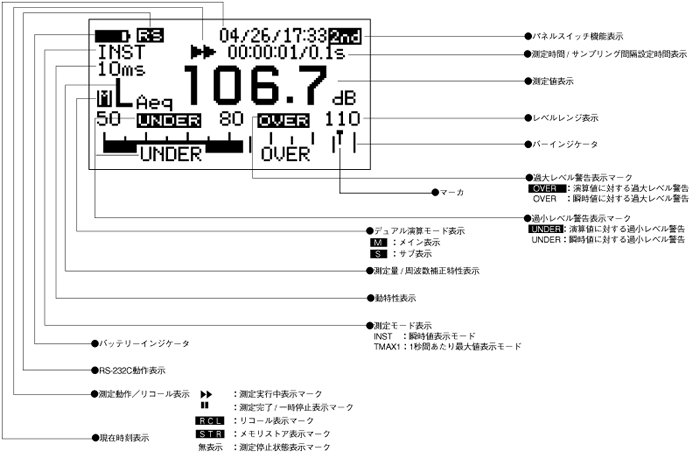
3. Display name of the standard mode screen (large screen)
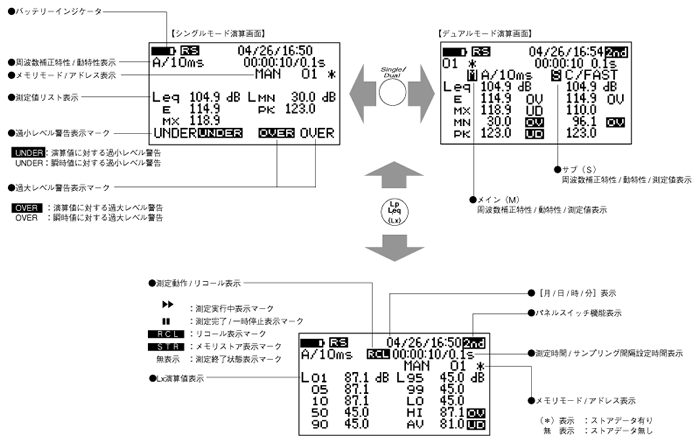
4. Name of the list mode screen.
Last updated: 2001-10-12