

sound level meter Frequently Asked Questions
Question number FAQ-1183
How to start in factory default state?
This explains how to start in the factory default state.
Usage Button
- Power Switch -
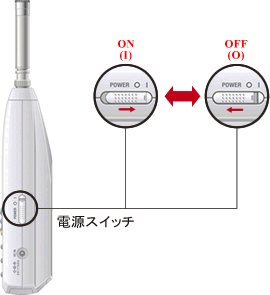
- Operation Switch -
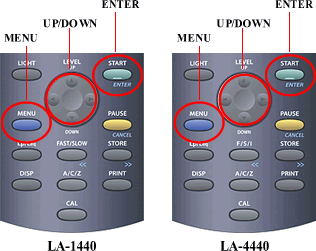
■ Operating Procedures
- Turn the power switch ON and display the screen.
- Click the 'MENU' button to open the menu screen.
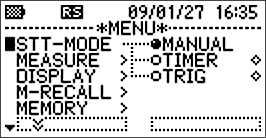
- Align the cursor with [P-COND].
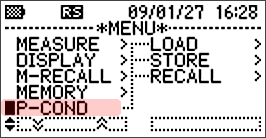
- Click the [ENTER] button to proceed to the next item.
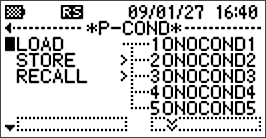
- Align the cursor with [RECALL].
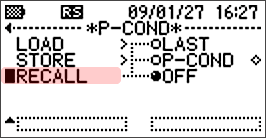
item details LAST Load the panel condition from the last time the power was switched off. P-COND Load a specified panel condition from the stored panel conditions. OFF Load the panel condition of the factory default settings. - Press the 'ENTER' button to move the cursor to the next item.
- Align the cursor to [OFF] and press the [ENTER] button to confirm. This will enable the function to start with the factory default settings when the power is turned ON.
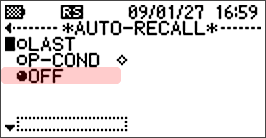
- Press the 'MENU' button to return to the measurement screen.
- After turning the power switch OFF and then ON again, the device will start with factory default settings and display the initial measurement screen.
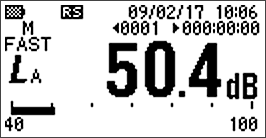
- After the measurement is completed, if you set [LAST] in operation 6 and turn the power OFF, the next time you turn the power ON, it will start with the settings that were in place at the time of power OFF.
Last updated: March 16, 2009