

sound level meter Frequently Asked Questions
Question number FAQ-1178
Setting of measurement time
Setting of measurement time
Procedure for setting measurement time.
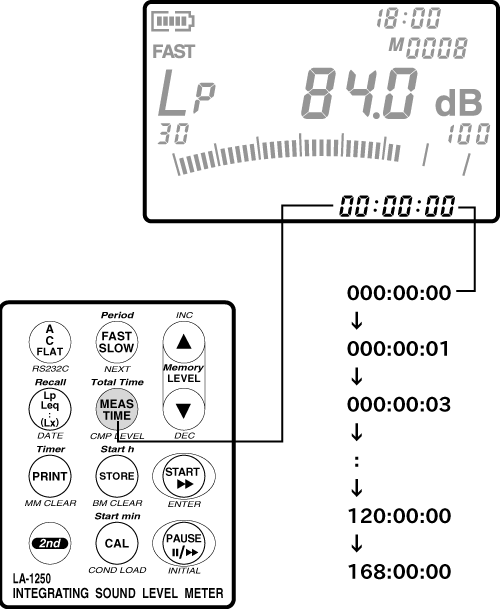
When measuring outside of Lp, the measurement time is set using the panel switch [MEAS TIME]. Each time the panel switch [MEAS TIME] is pressed, the measurement time switches in the following order.
000:00:00 → 000:00:1 → 000:00:03 → … →120:00:00→168:00:00
If 000:00:00 is set, manual operation for measurement will be selected. At this time, the display can show a maximum of 199h 59min 59sec.
Last updated: 2002-01-09