

sound level meter Frequently Asked Questions
Question number FAQ-1165
Setting of the Keep Protect Switch Function
Setting of Key Protect Switch Function
The LA-1240/1250/1350/4350 is equipped with a keep protect switch on the bottom of the sound level meter to prevent incorrect setting of measurement conditions. When switched to keep protect mode, all panel switches except for the ones shown in the diagram ([Lp/Leq...(Lx)] [START] [PAUSE] [CAL] [PRINT] [STORE]) become inoperable.
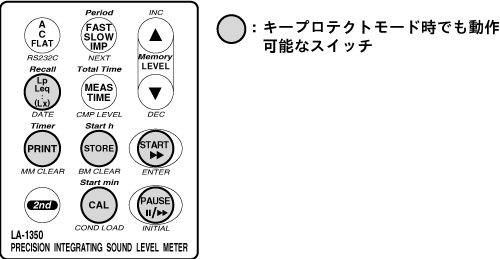
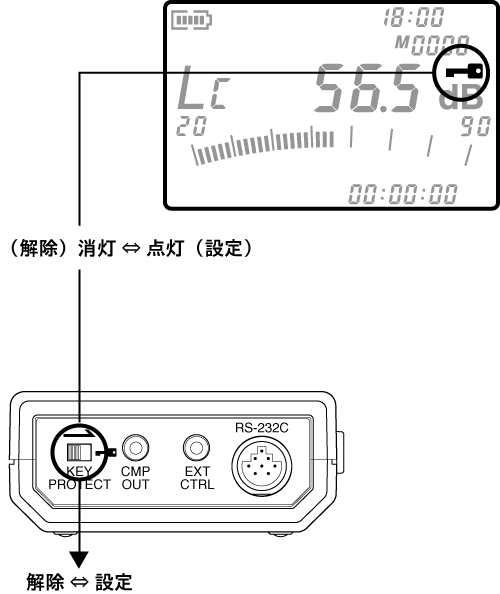
Switching Procedure for Keep Protect Mode
Switching the key protect switch to the right (the side with the key mark printed) activates the key protect mode, while switching it to the left deactivates the key protect mode. Additionally, if key protect is set, the key protect mark will light up on the LCD display.
Last updated: 2002-01-09