

sound level meter Frequently Asked Questions
Question number FAQ-1161
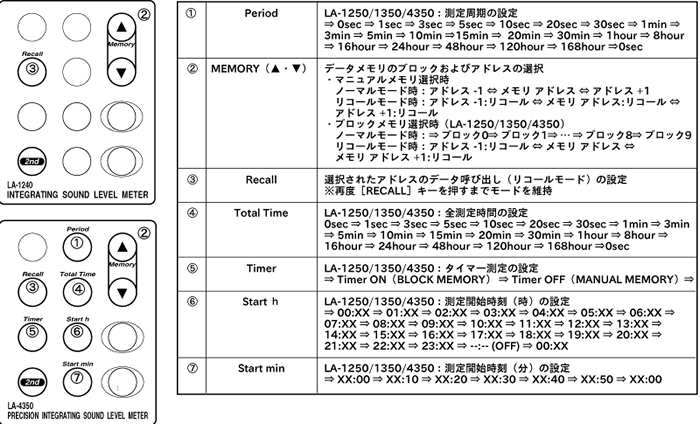
List of names and functions of the secondary mode panel switch.
List of Names and Functions of the Secondary Mode Panel Switch
Secondary Mode (Function 2 Switch)
Press the panel switch [2nd] to activate the secondary mode when the 2nd mark is displayed on the LCD screen. The function is printed in blue text above the panel switch.
【Note】
* The panel switch typically cycles through the set values by being pressed continuously. Please note that some panel switches may have different functions when pressed continuously. Be careful.
Last updated: 2002-01-09