

DR-7100 Frequently Asked Questions
Question number FAQ-1129
How to specify a start date and time to repeat 5-minute recordings every hour - Specifying the start and end dates and interval recordings -
Specify the start date and time, and a 5-minute recording will be repeated every hour.
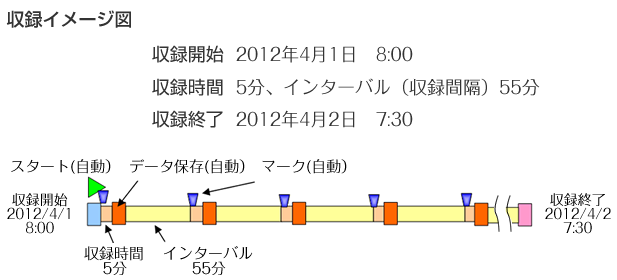
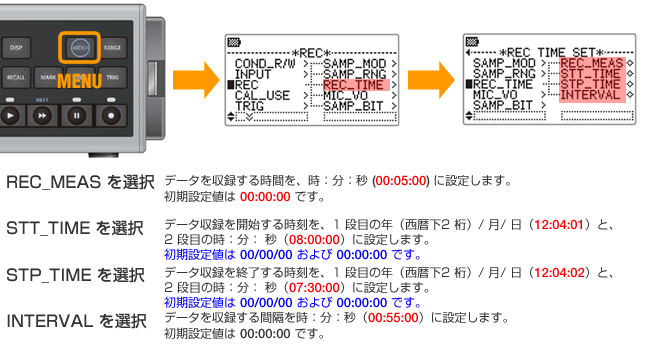
Set the date and time, recording duration, and interval.
After pressing the [MENU] key, select [REC] ⇒ [REC TIME] to move to the configurable screen.
Press the MENU key twice to return to the measurement screen, then press the REC key to enter the recording standby (REC+PAUSE) state. Recording will start at the scheduled start time.
Last updated: 2014-01-20