

DR-7100 Frequently Asked Questions
Question number FAQ-1126
How to connect an acceleration detector compatible with TEDS.
Connect a sensor with TEDS (Transducer Electronic Data Sheet) functionality (built-in preamplifier accelerometer) to the DR-7100.
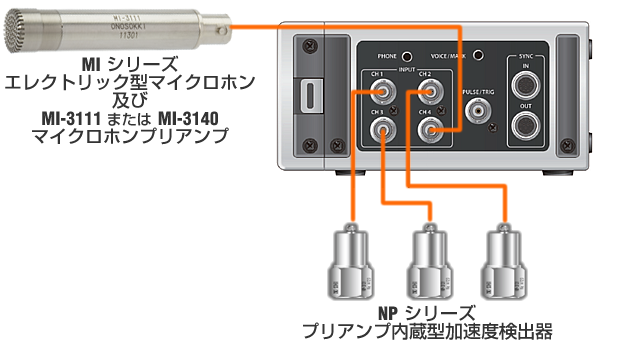
After pressing the TEDS calibration key and then the ENTER key, the sensitivity values and units for channels 1 to 4 will be read and set in order. (The INPUT settings for channels with a TEDS-compatible accelerometer connected will automatically switch to CCLD.) If a non-TEDS-compatible accelerometer or microphone is connected, an ERROR will be displayed, and calibration will not be performed (the state before starting TEDS calibration will be retained).
After calibration is complete, press the REC key, then press the PLAY key or PAUSE key to start recording. If the input signal is very low (with little movement on the bar graph) or if the over-display (red LED) is flashing or lit, please adjust the voltage range appropriately before starting the recording.
Acceleration detector with built-in preamplifier
NP-3000 Series Microphone with Built-in Preamplifier
What is TEDS?
What is the FFT Analyzer TEDS?
The content of the sensor-specific information (TEDS data) written into the TEDS-compatible acceleration pick amplifier is
What is CCLD?
Last updated: 2014-01-20