

XN-8000 Frequently Asked Questions
Question number FAQ-1116
How to display the harmonic wave list.
■ Operating Procedures
Displays the power spectrum. Right-click in the graph → Auxiliary Object → Select "List". Set the mouse pointer to "Object Edit".
Keep the cursor aligned with the fundamental frequency.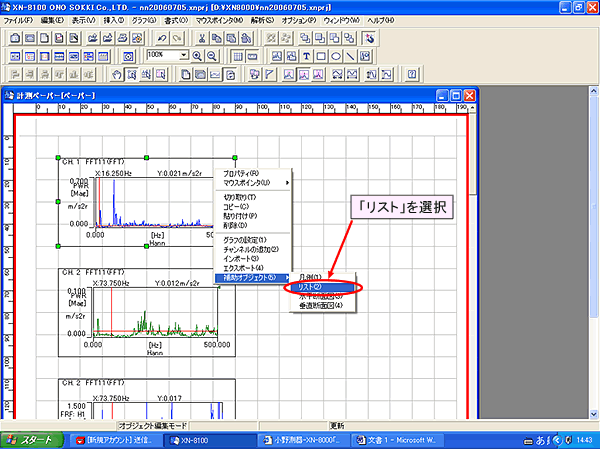
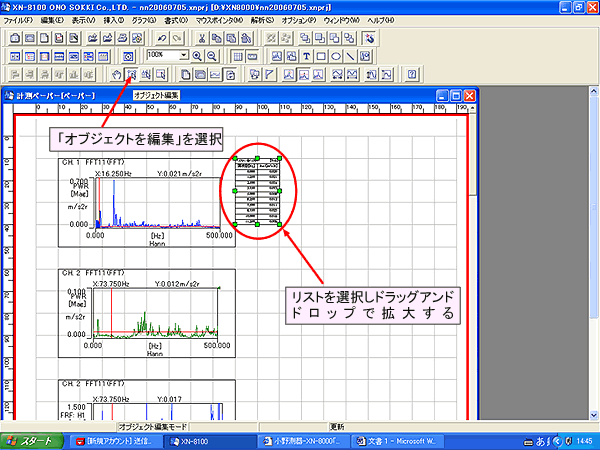
Adjust the list to an appropriate position and size. Right-click within the list to open the list settings.
Select 'Harmonic List' from the list. Check 'FIT'.
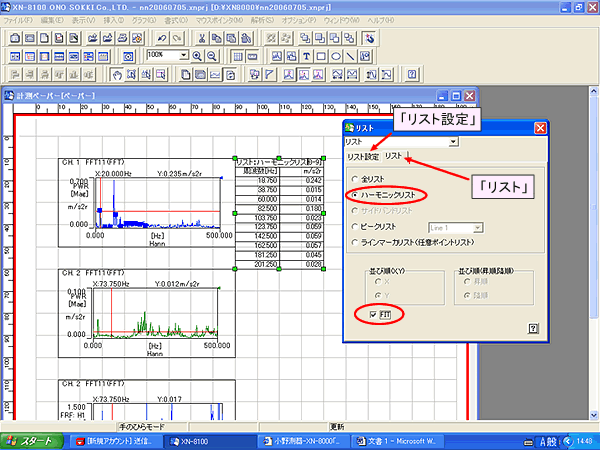
Set the number of columns in the list to 5. The number of rows will be chosen arbitrarily. The basic wave will be at the position of the search cursor.
Last updated: August 21, 2006