

XN-8000 Frequently Asked Questions
Question number FAQ-1108
I want to display octave data in a list format from 20 Hz to 20 kHz.
How to display a list of octave data.
The octave data will be displayed on a graph. The following example shows the X-axis ranging from 20 Hz to 20 kHz (1 decimal place), and the Y-axis ranging from 20 dB to 100 dB (2 decimal places).
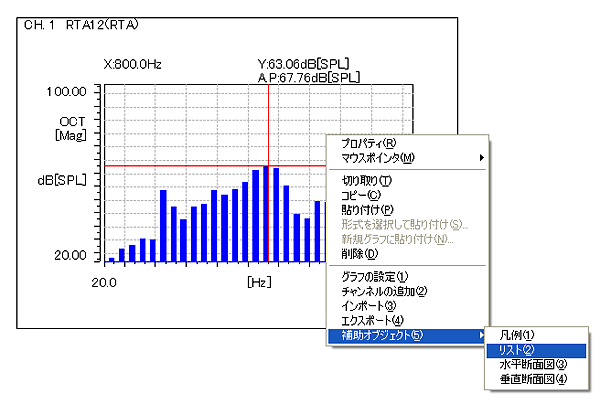
Move the mouse over the graph, press the right button of the mouse, and click on the list of auxiliary objects.
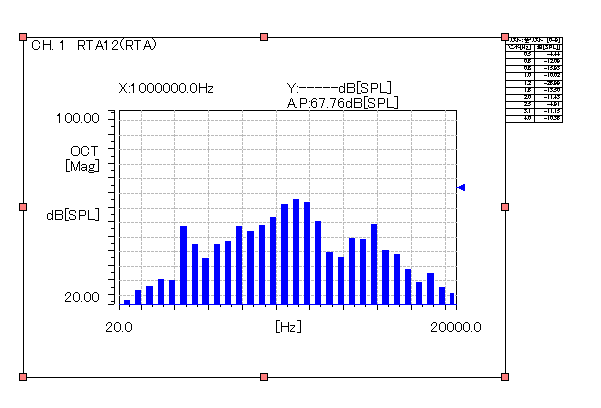
A list will be displayed.
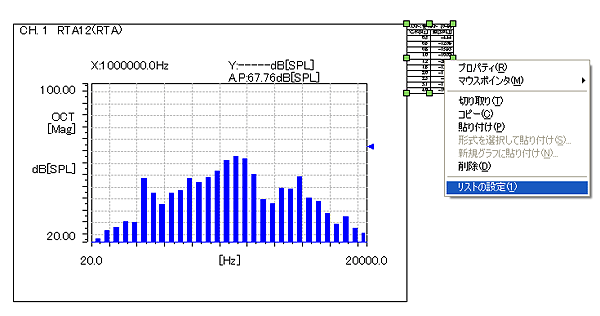
- Move the mouse over the list display, press the right mouse button, and click on 'List Settings'.
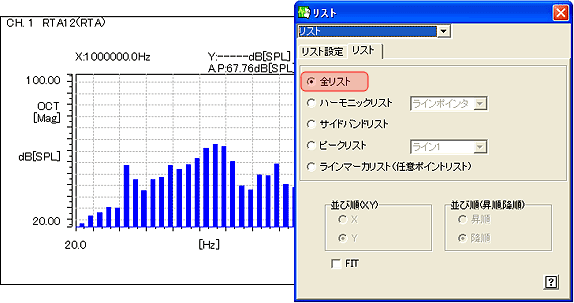
- Select the 'List' tab in the displayed 'List' window, and choose 'All Lists' from the types of lists.
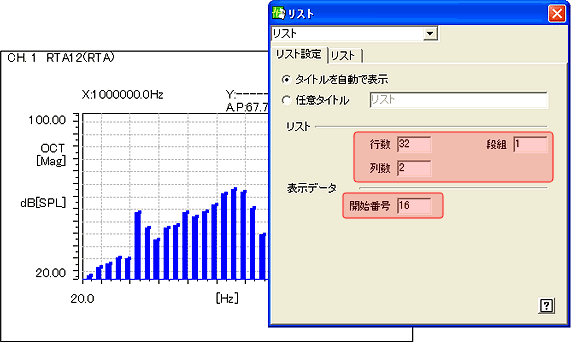
- Select the "List Settings" tab in the same "List" window, set the number of rows to "32", the number of columns to "1", and the starting display data number to "16".
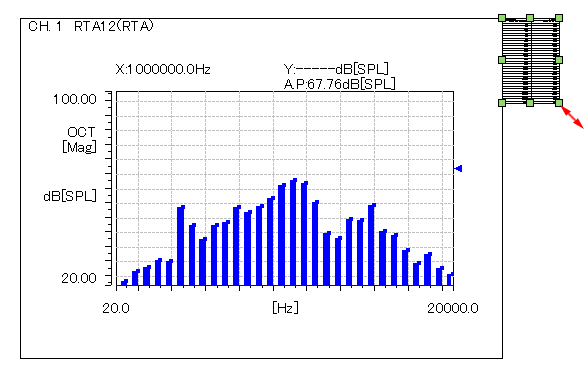
- If the displayed list is small, drag the ■ of the list with the mouse as shown below until it reaches an appropriate size.
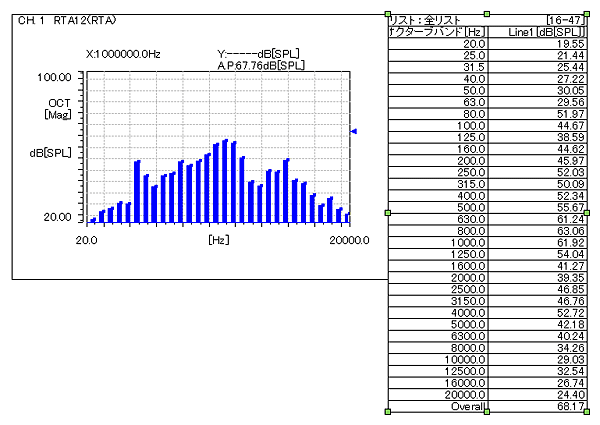
- Octave data from 20 Hz to 20 kHz and overall values will be displayed in a list.
Last updated: December 17, 2007