

OS-2000 series Frequently Asked Questions
Question number FAQ-1057
Can you play sound?
You can play back sound and vibration data as audio.
It is effective for confirming phenomena that occur in a very short time.
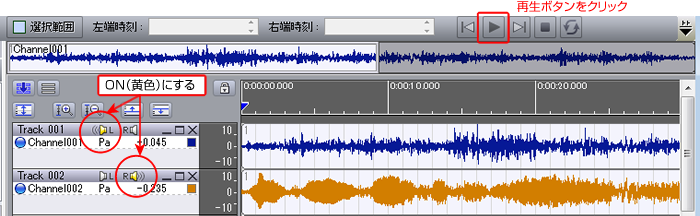
Click the speaker icon next to Track xxx to turn it ON (yellow), and then click the play button.
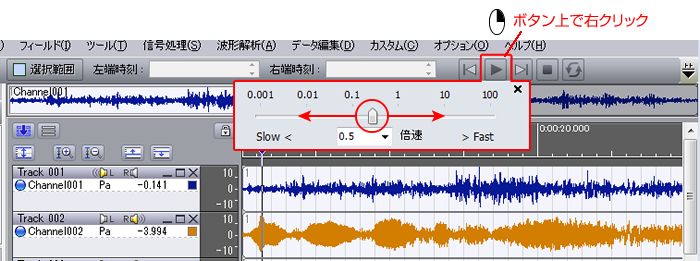
Right-clicking on the play button allows you to change the playback speed. (1: normal speed)
Entering a value smaller than "1" will result in slow playback.
Last updated: 2015-09-28