

OS-2000 series Frequently Asked Questions
Question number FAQ-1053
Method of calibration using sound pressure calibration signals.
Method for performing calibration using a sound pressure calibration signal (calibration after data import on the OS-2000 series side)
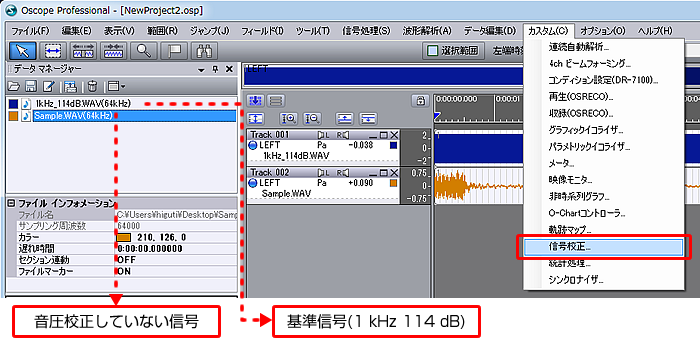
1. Select "Custom" → "Signal calibration" in the menu.
* Load the files containing the reference signals measured in advance and the uncalibrated data files for calibration.
Set the content of the calibration.
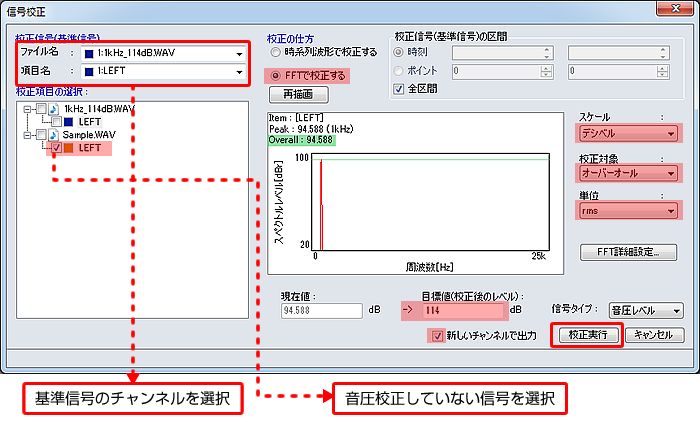
・ calibration with FFT: ON
・Scale: Digibel
・ calibration Target: Overalls
・Unit: rms
・Target value: 114 (varies by model)
・Output with new channel: ON
Last updated date: 2015-08-17