

OS-2000 series Frequently Asked Questions
Question number FAQ-1046
I want to count the number of pulses.
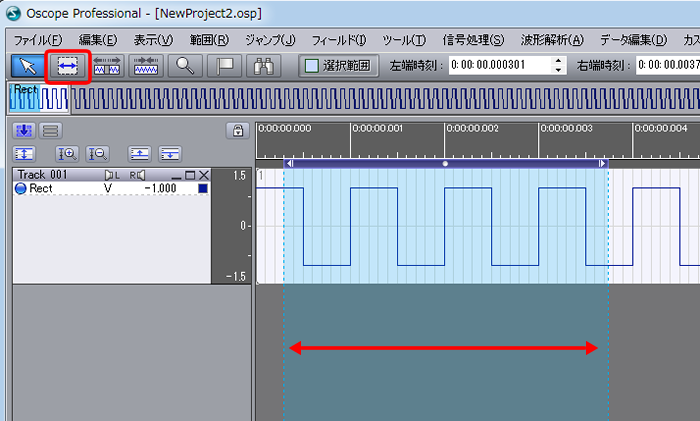
Select the data range you want to count.
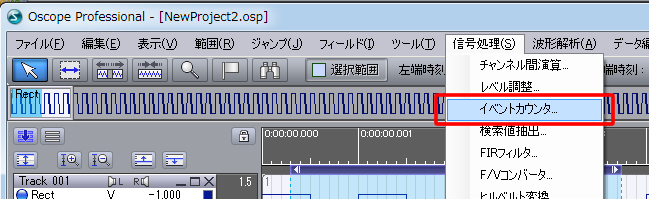
Select "Signal Processing" - "Event Counter".
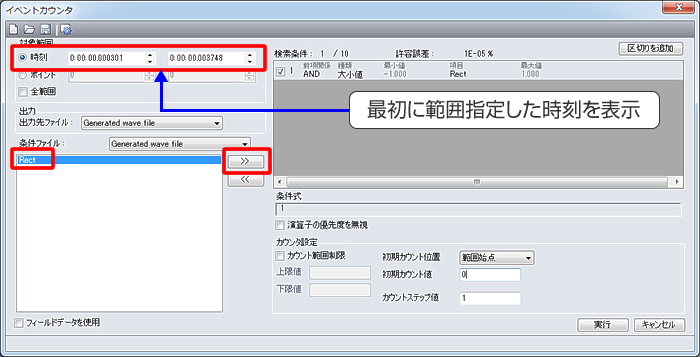
A screen like the one shown below will be displayed.
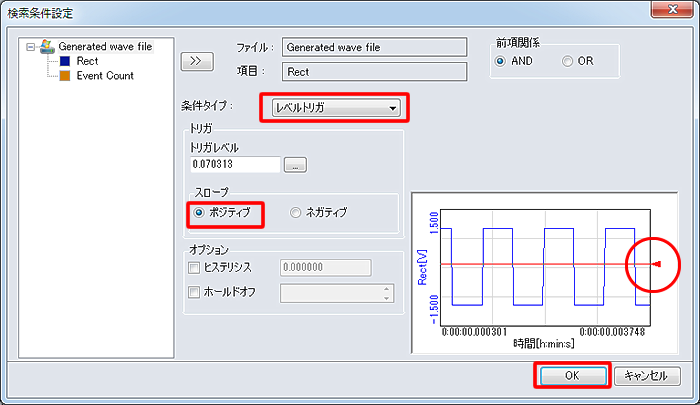
Select the condition type, "Level Trigger"
decide the trigger level, and set the condition to search for "Positive (Rising)".
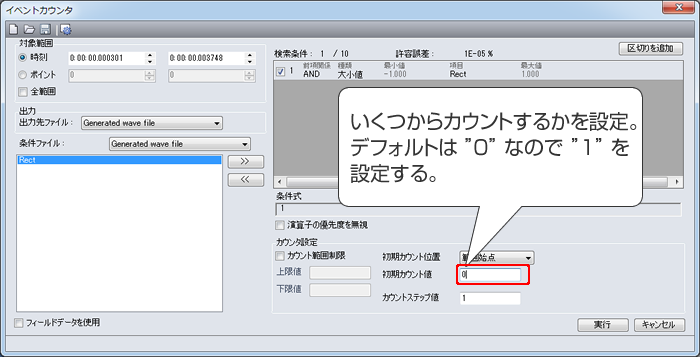
When the screen returns to "Event Counter", enter the initial count value.
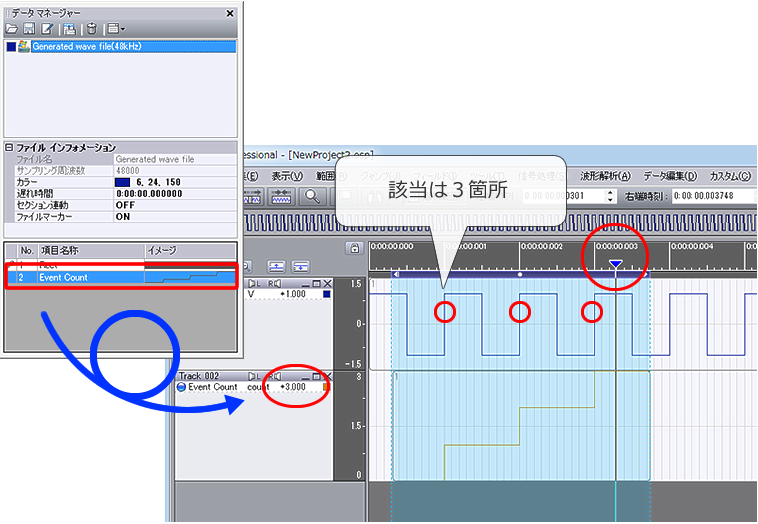
The number of counted pulses indicates when they were counted, and new waveform data is added.
Drag it to the main screen and move the cursor to check the values.
Last updated date: 2015-09-17