

OS-2000 series Frequently Asked Questions
Question number FAQ-1045
About the installation of .NET Framework 3.5 on Windows 10
By default, .NET Framework 3.5 is not installed in Windows 10, so installation is necessary.
● How to do it online
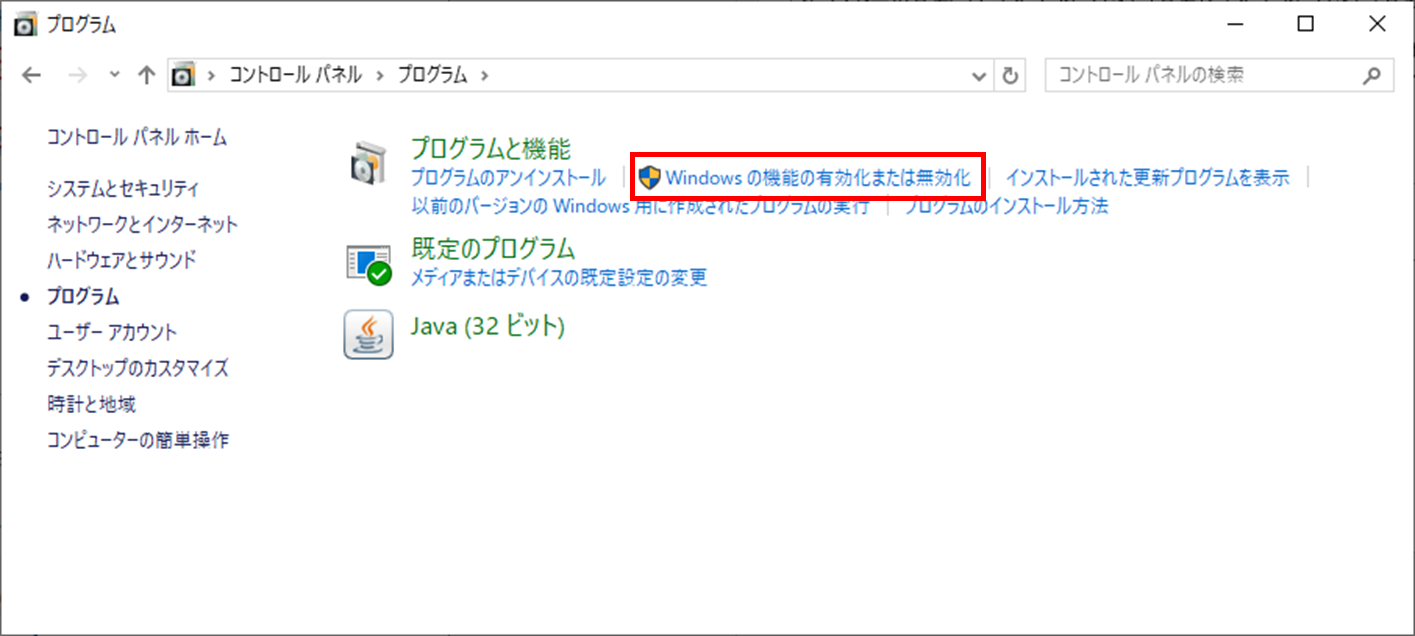
① Click on "Control Panel" > "Programs" > "Turn Windows features on or off" to display the "Windows Features" dialog.
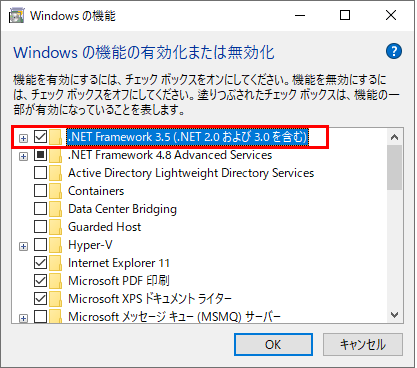
Check the checkbox for [.NET Framework 3.5 (including .NET 2.0 and 3.0)] and click the 'OK' button.
When the next screen appears, click on "Download files from Windows Update."
4. The download and installation of the necessary files will begin, so please wait as is. Once the download and installation are complete, a message will appear saying, "The necessary changes have been completed." Please click "Close" to close the dialog.
Last updated: 2020-08-27