

OS-2000 series Frequently Asked Questions
Question number FAQ-1037
What do you set for importing a CSV file?
Settings are required during import due to the lack of file information.
- Select the file type, "ASCII files (*.csv, *txt, *.*)".
- Set the “item row,” “unit row,” and “data start row”,
and set either the “sampling frequency” or the “sampling clock.” *
Setting the time intervals for time series data.
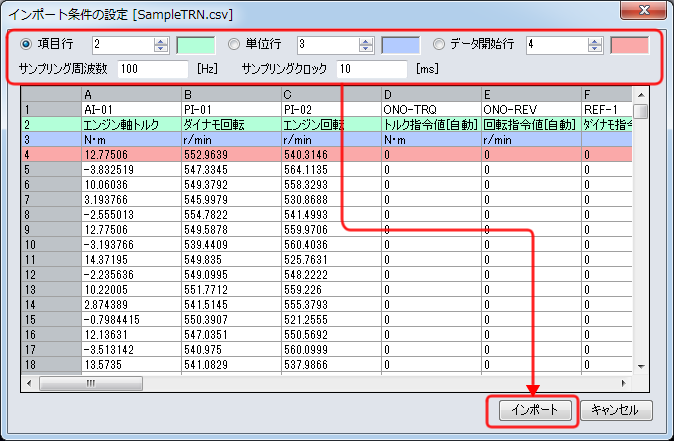
* Even if there are more than 1000 rows of data, this screen will only display up to 1000 rows.
After import, all data will be displayed in the "Data" menu under "Database Window".
Last updated date: 2015-08-17