

OS-2000 series Frequently Asked Questions
Question number FAQ-1009
To export data.
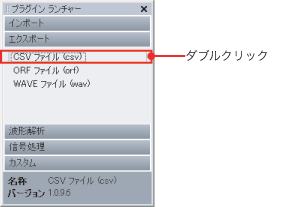
 | Double-click on the output format of the file you want to export from the [Export] tab of the plugin launcher.
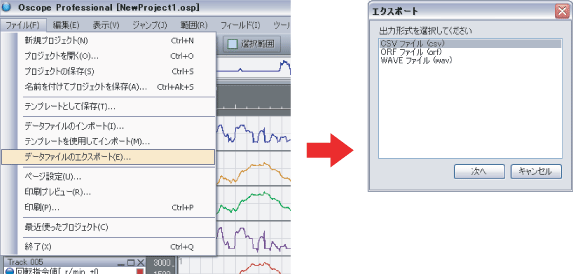
Alternatively, click on [File] - [Export Data] from the main menu, and from the [Export] dialog box, select the output format to export.
|
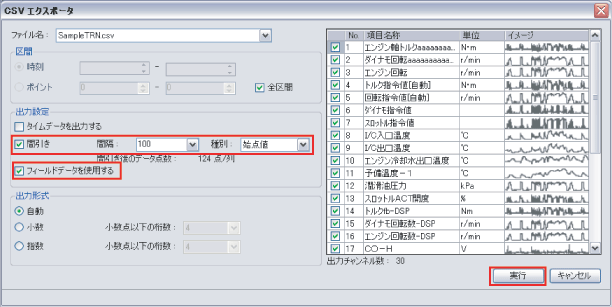
 | Set the export conditions and click [Execute].
|
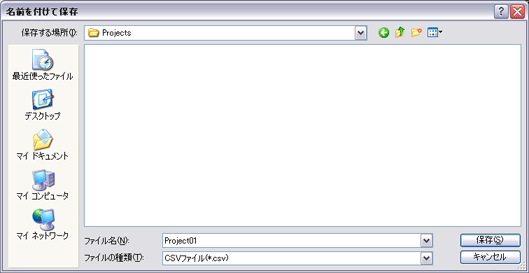
 | Set the file name when saving and click [Save].
|
 | The data will be exported in CSV file format. |
Last updated date: 2026-07-15