

OC-1300 series Frequently Asked Questions
Question number FAQ-0958
To delete the loaded data file.
 |
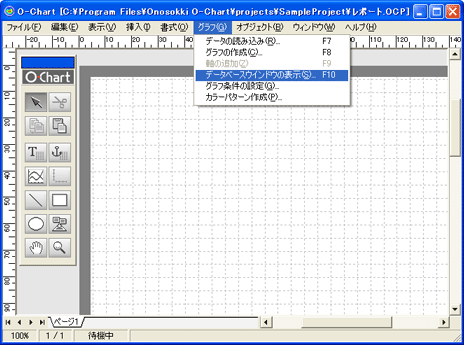
Execute the [Show Database Window] command from the [Graph] menu. |
 |
|
 |
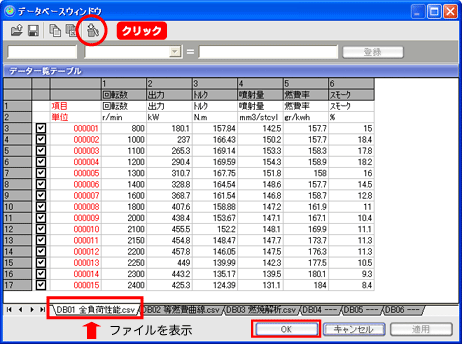
When the database window is displayed, specify the file you want to delete using the tabs. After that, you can delete the imported data file by clicking the [Trash] icon. When finished, click the [OK] button. |
 |
|
 |
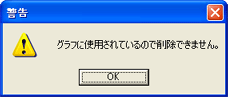
If the data has been used in a graph, a message will be displayed, and the data cannot be deleted. |
 |
Last updated date: 2026-07-15