

OC-1300 series Frequently Asked Questions
Question number FAQ-0955
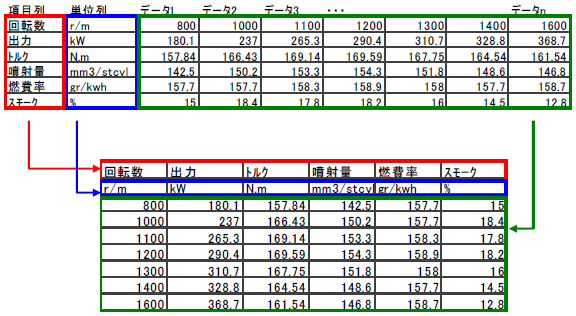
How to transpose the rows and columns of data in Excel.
 |
 |
Load data in Excel. |
 |
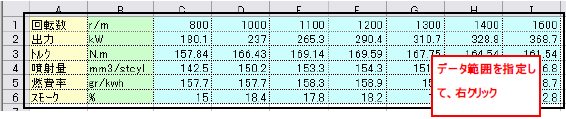
Select the item column, unit column, and data range you want to sort with the mouse, and then right-click. |
 |
|
 |
Since the pop-up menu opens, click on 'Copy' to copy the data. |
 |
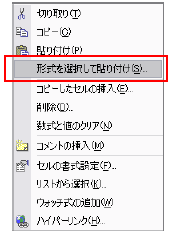
Next, specify the location where you want to paste the data, right-click, and select 'Paste Special'. |
 |
|
 |
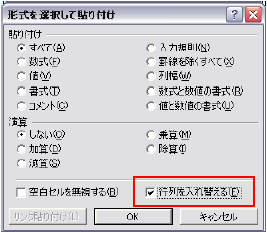
On the newly displayed screen, check 'Swap Rows' and press 'OK'. |
 |
|
 |
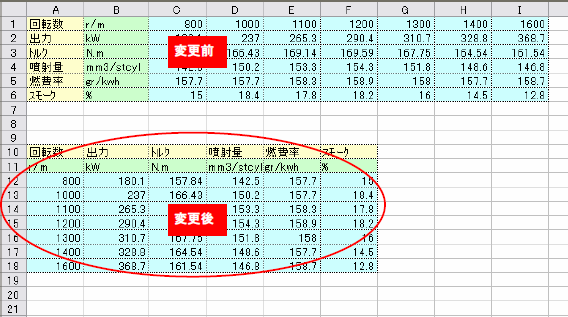
You can rearrange as follows. |
 |
Last updated date: 2026-07-15