

OC-1300 series Frequently Asked Questions
Question number FAQ-0952
To use the template.
 |
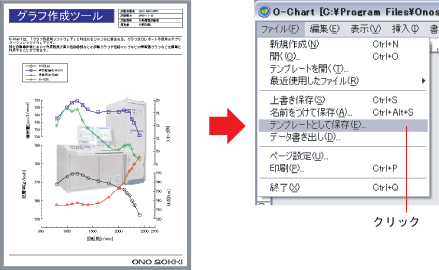
Save the template |
 |
|
 |
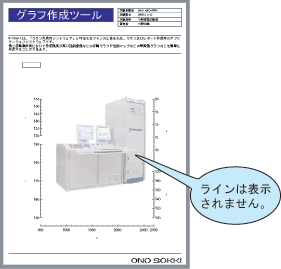
Open the template file from the [Open Template (T)...] command in the File menu. |
 |
|
 |
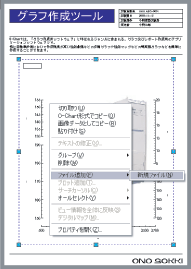
Select the graph and execute the [New File (N)] command from the subcommand [Add File (F)] in the pop-up menu. When the command is executed, a file open dialog will appear, allowing you to select any data file. |
 |
|
 |
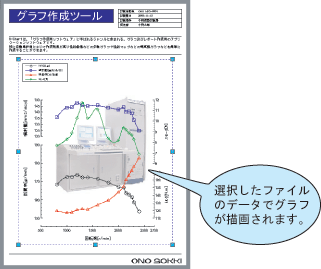
When you select a data file, a graph will be drawn under the same conditions as when a template was created using that data. |
 |
|
 |
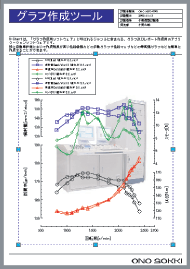
The graph created here can also be overlaid by executing the [New File (N)] command from the [Add File (F)] subcommand in the pop-up menu, just like a regular graph. |
 |
|
 |
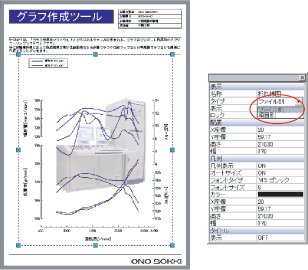
Overlay drawing is easier to see when displayed in file-specific mode. Select [File] from the [Type] in the properties display. |
 |
|
Last updated date: 2026-07-15