

OC-1300 series Frequently Asked Questions
Question number FAQ-0943
To display the level values of the contour map and clipping map.
 |
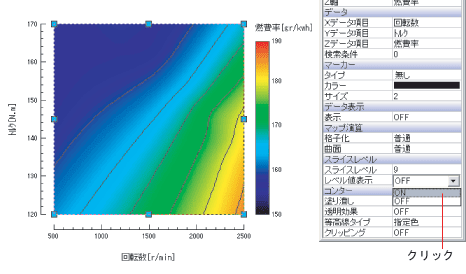
Select the contour map and open the properties. Set the 'level value display' at the slice level to 'ON'. |
 |
|
 |
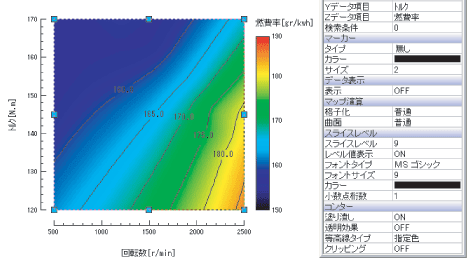
The level value has been displayed. |
 |
|
 |
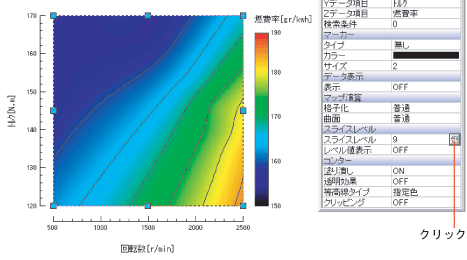
You can also display the level value from the [Change Contour Map Slice Level] dialog box. Click on the [Slice Level] of the property slice level and open the [Change Contour Map Slice Level]. |
 |
|
 |
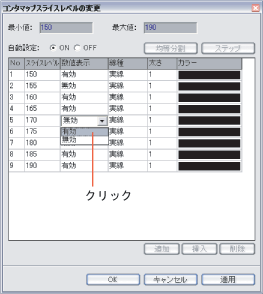
Set the [Numeric Display] of the dialog box to [Enabled] for changing the slice level of the contact map. In this way, you can set the display or hide level values for each line. |
 |
|
Last updated date: 2026-07-15