

O-Solution DS-5000 Frequently Asked Questions
Question number FAQ-0797
After updating O-Solution, the USB key license information is not recognized (it launches in the viewer).
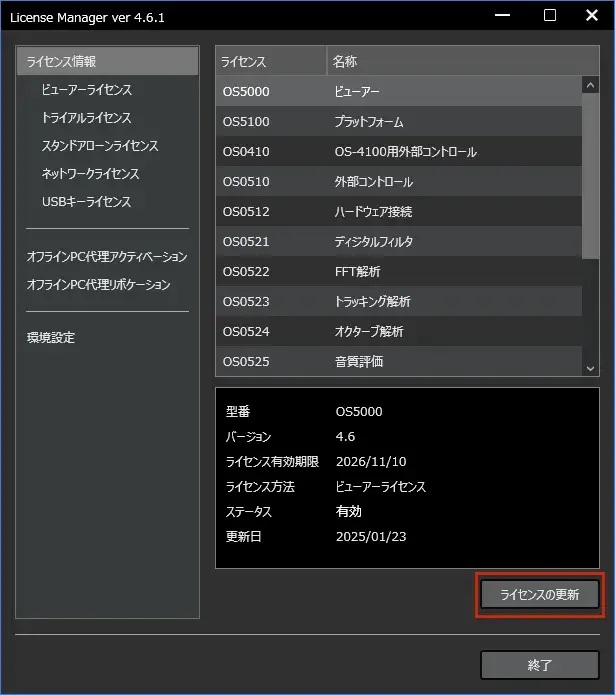
After updating O-Solution, if the USB key license is not recognized and it starts in viewer mode, please update the license information using the following steps.
1 Insert the USB key into the computer
2 Click the "Start" button, select "Onosokki O-Solution" → "License Manager" to launch the License Manager
3 Click the "Update License" button at the bottom right to update the license information
Last updated: 2025-02-14