

O-Solution DS-5000 Frequently Asked Questions
Question number FAQ-0788
Please tell me how to register a user-defined filter.
The registration methods differ between frequency weighting filters and noise removal filters.
- frequency weighting filter
The frequency weighting filter is a frequency weight that users can create themselves when they want to use a special frequency weighting filter.
Please create a file for the filter according to the format below. The file format will be in comma-separated CSV format.
Reference file (Hand-arm vibration measurement ISO 5349)
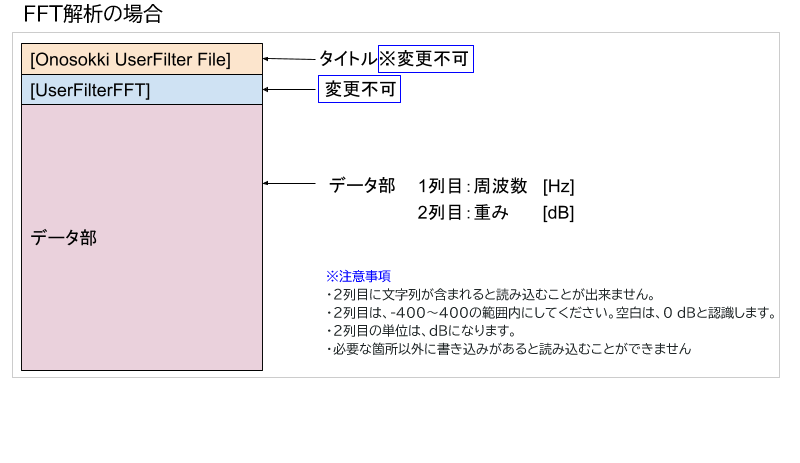
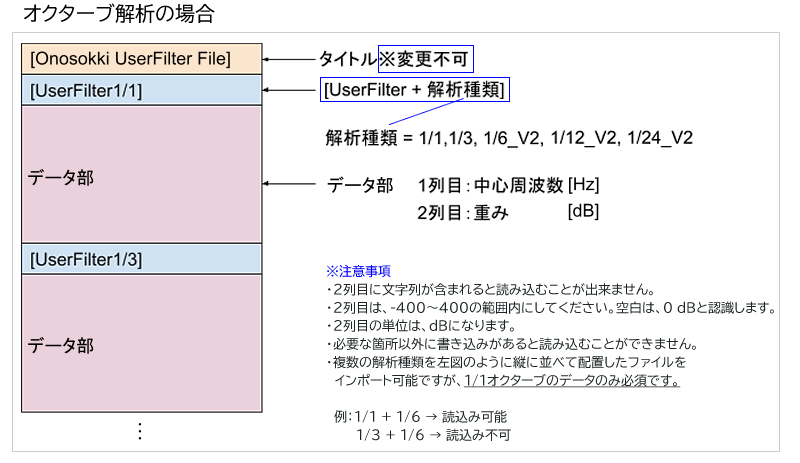
Please register the file created by following the steps below.
- Open [User-defined Filter Registration] > [Frequency Weighting Filter] and click the New Addition button.
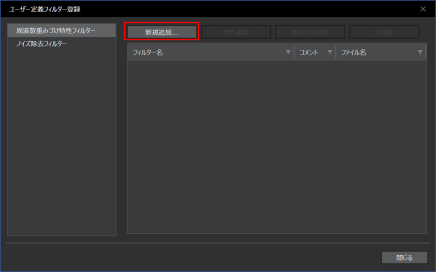
- I will add the created file.
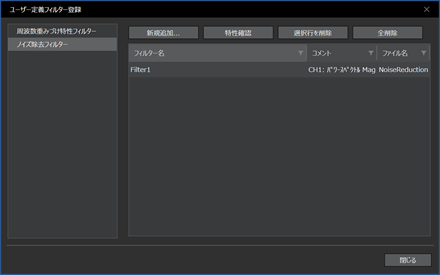
The registered filters will be displayed in a list as follows.
- noise reduction filter
Use this when you want to remove (subtract) noise components from measurement results.
To create a noise removal filter, analysis results in DS-3000 series TEXT format are required.
- Export the analysis results you want to use as a filter from the Analysis Data Manager or the graph window in DS-3000 series TEXT format.
- Import the exported DS-3000 series TEXT format file into O-Solution again and register it in the Analysis Data Manager.
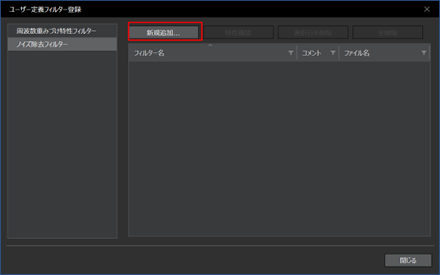
- Open [User-defined Filter Registration] > [Noise Removal Filter] and click the New Addition button.
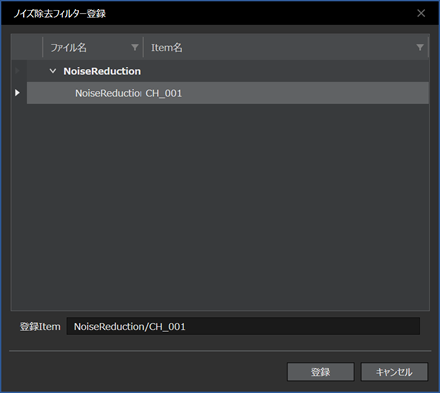
- The items registered in the data manager will be displayed, so select one and click [Register].
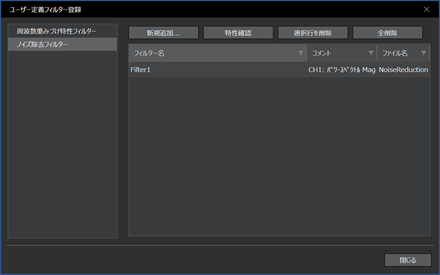
The registered filters will be displayed as follows.
Last updated: 2021-06-29