

O-Solution DS-5000 Frequently Asked Questions
Question number FAQ-0784
Hardware connection failed. What should I check?
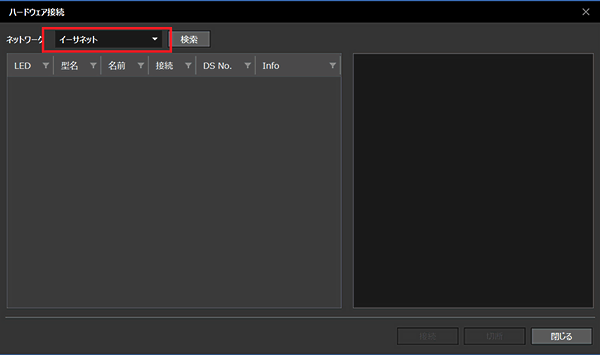
If the network you want to connect to does not appear as an option on the [Hardware Connections] screen, Internet Protocol Version 6 (TCP/IPv6) may not be enabled. Please check the settings using the following method.
* If you are still unable to connect after performing these settings, please check the settings of your firewall, security software, etc.
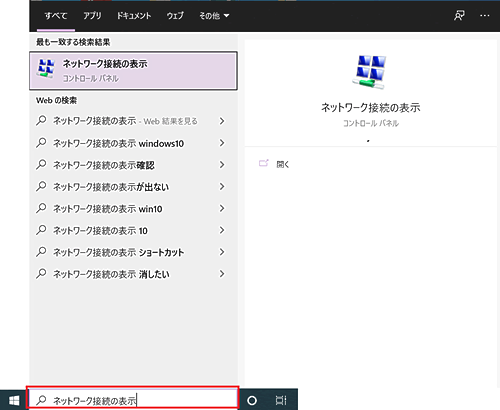
- Click the magnifying glass icon at the bottom of your PC, type "View network connections", and press Enter.
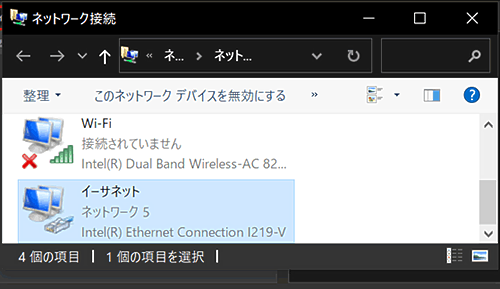
- Double-click the network you are using to display the "Ethernet Status" screen.
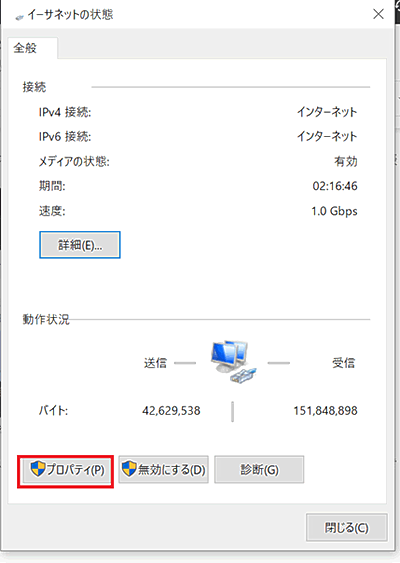
- Click Properties (red box) to display the "Ethernet Properties" screen.
- Please check if Internet Protocol Version 6 (TCP/IPv6) (indicated by the red box) is checked. If it is not checked, check it and then press the OK button to change the settings, and then check again if you can establish a hardware connection.

Last updated: 2021-06-11