

DS-3000 Frequently Asked Questions
Question number FAQ-0741
Please explain the meaning and relationship of the trace line settings in the tracking analysis function.
- Number of lines
- Peak search
- About order band
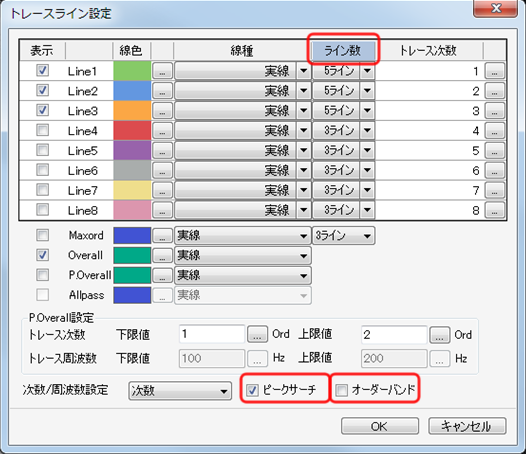
■ Number of lines
Set how wide (number of lines) to make it based on the trace count.
Peak Search
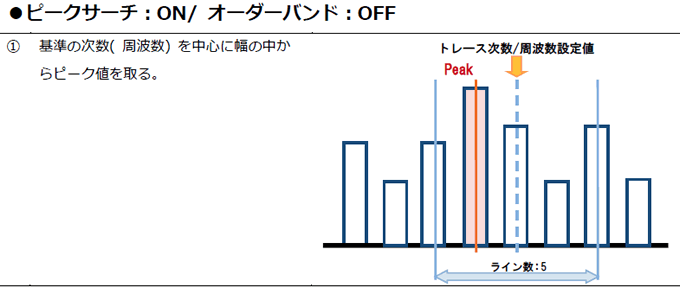
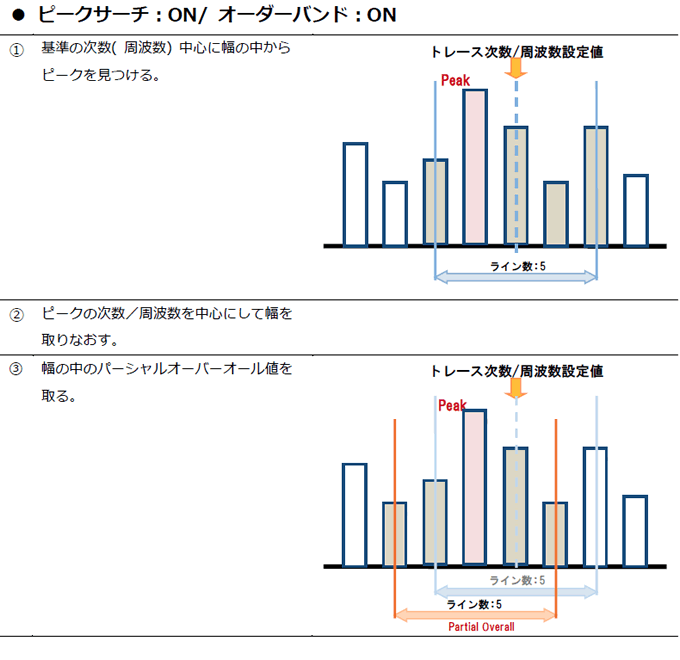
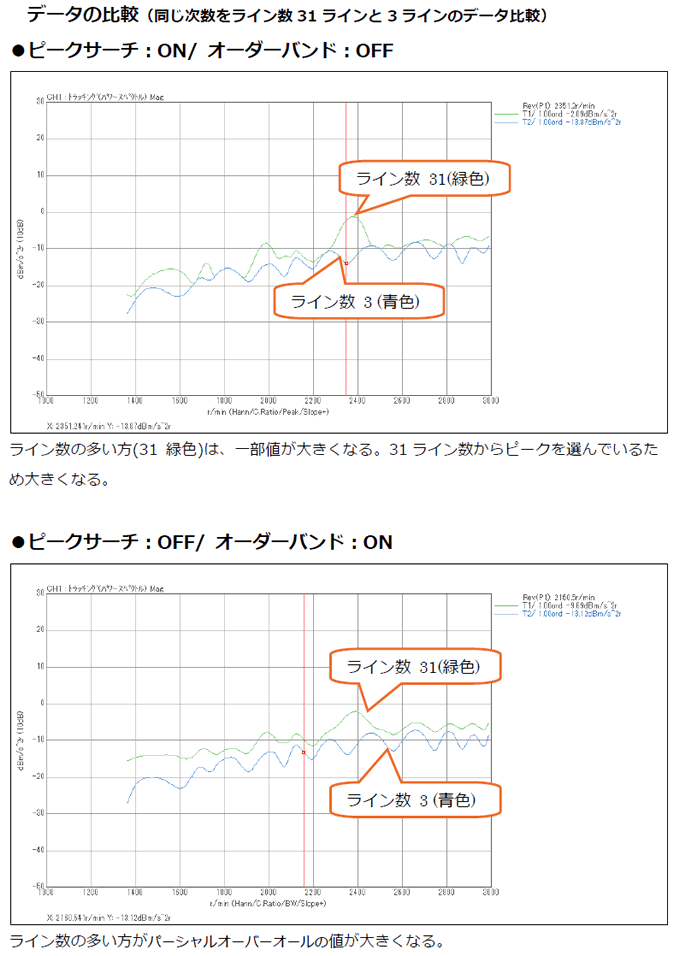
Tracking analysis will be performed based on peak values within the number of lines set around the trace frequency.
Order band
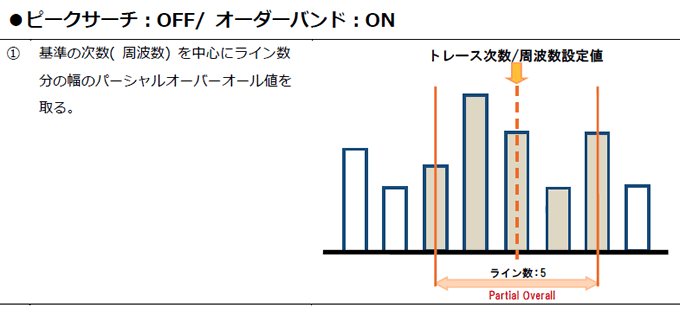
Tracking analysis is performed using the partial overall values within the number of lines set around the trace count.
Please check here for the meaning and related examples of specific settings.
Usage guidelines
(1) In the case of constant ratio tracking
| when not in high-speed sweep | Peak search off | Order band off | |
| When the order component is a line spectrum with high-speed sweep | Peak search on | Order band On | The number of lines is about 3. |
| When not a clear line spectrum with high-speed sweep | Peak search off | Order band on | The number of lines is an appropriate value. |
(2) In the case of fixed-width count tracking
| Peak search on | Order band On | The number of lines is about 3 to 7 Make it larger for higher-order components. |
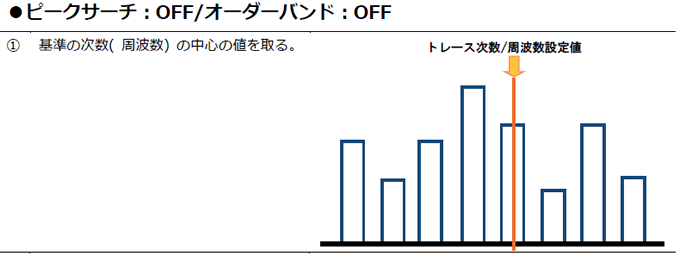
About Peak Search/Order Bands (Example: Number of Lines: 5)
Last updated: 2016-03-31