

DS-3000 Frequently Asked Questions
Question number FAQ-0726
When launching the DS-3000 series software, an error message appears stating "Please update the firmware of the DS hardware. Cannot connect to the hardware."
Please update the firmware of the DS-3000 hardware using the following steps.
The DS-3000 series software (DS-0320) will be terminated.
(2) From the Windows Start Menu,
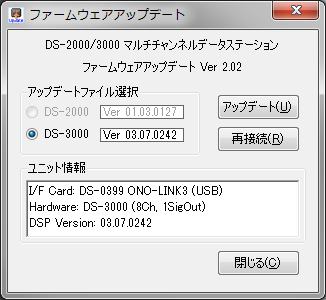
select All Programs ⇒ "Onosokki DS-3000" ⇒ Common ⇒ "DSP Update" to launch the firmware update program.
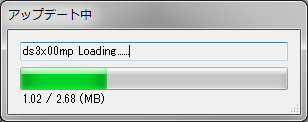
(3) Pressing the update button for the firmware update program will update the firmware of the DS-3000 hardware.
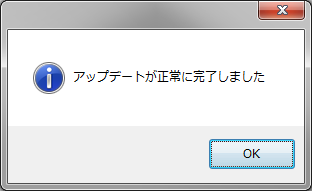
(4) Please press OK when the message indicating that the update has completed successfully is displayed.
Press the close button of the firmware update program to exit the program.
Please restart the DS-3000 series software (DS-0320) again. A connection with the hardware will be established.
* Note that to perform the above steps, administrator privileges for Windows ® are required.
Additionally, the DS-3000 hardware must be connected to the PC.
Last updated: 2017-08-04