

DS-2000 Frequently Asked Questions
Question number FAQ-0684
How to save trend data as a text file after applying A characteristic to the trend data recorded with flat frequency weighting using the DS-0223 real-time octave software.
■ Operating Procedures
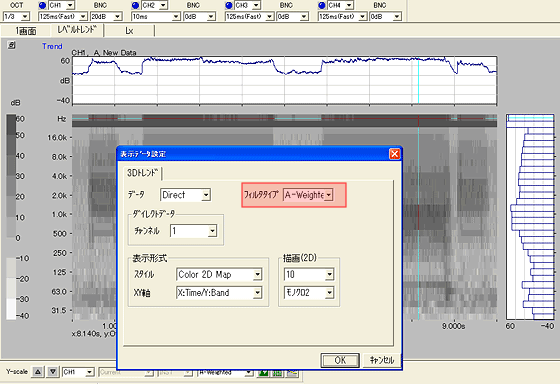
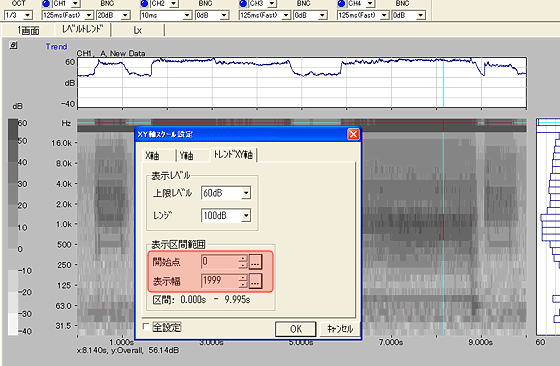
Select [Data Display] → [XY Axis Scale Settings] from the menu, and in the displayed window under the 'Trend XY Axis' tab, set the starting point to '0' and the display width to '1999'. This will set the scale of the X-axis to '2000 points'.
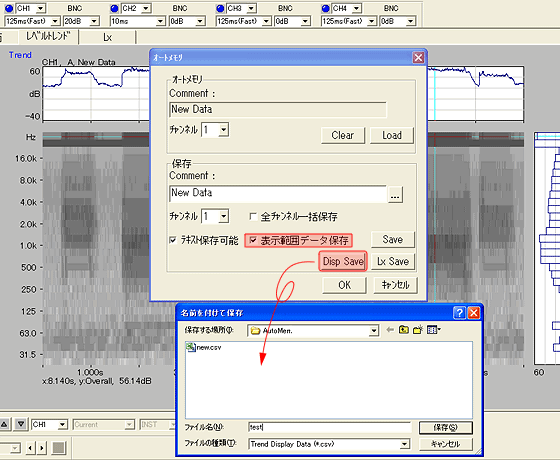
Select [File] → [Auto Memory] from the menu, and in the displayed window, check "Save Display Range Data." When you click "DispSave," the "Save As" window will open, so enter a file name and click OK. The file created will be a CSV file with A characteristics applied.
Last updated date: 2007-11-19