

DS-2000 Frequently Asked Questions
Question number FAQ-0671
Can the "***.rcd" file saved with the DS-0221 recording function be played with the standard media player on Windows?
Files saved as "***.rcd" with DS-0221 cannot be played directly with the standard Windows media player. They need to be converted to WAV format for playback.
To perform the conversion, the XN-8000 series measurement processing software "Repolyzer" is required, along with the XN-8100 measurement platform and the XN-0850 data editing software. Using the XN-8100 series, load the "***.rcd" file saved with DS-0221 and convert it to a WAV file for saving.
■ File conversion operation procedure from 'rcd' to 'WAV' on XN-8000
- I will start up the XN-8100.
- Click the button to the right of [FileRead] on the remote control palette. The [Open File] dialog will appear, so select the file extension ".rcd" and click the open button after specifying the "***.rcd" file (Figure 1).
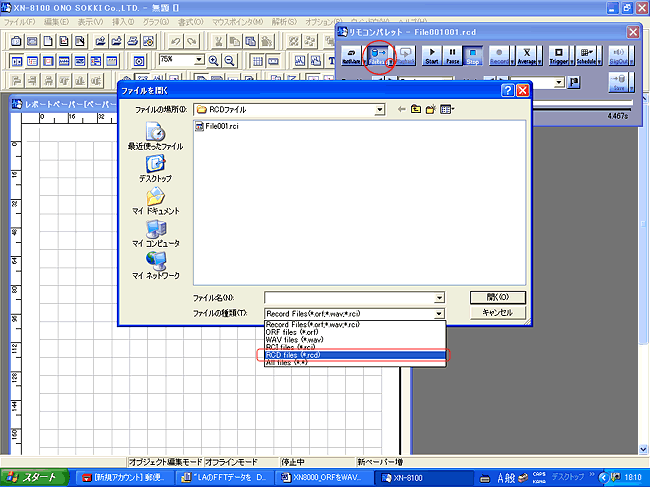
Figure 1
- A dialog for creating a preview file will open, so click the OK button.
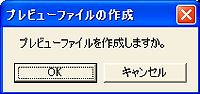
Figure 2
- Click the 【Waveform Viewer】 button to open the〔Waveform Viewer〕(Figure 3).
The data of "***.rcd" will be displayed. - of the waveform viewer
- Click on 'Range → Set all records to analysis range' (Figure 4).
- Next, click on 'Add selected range to the list'.
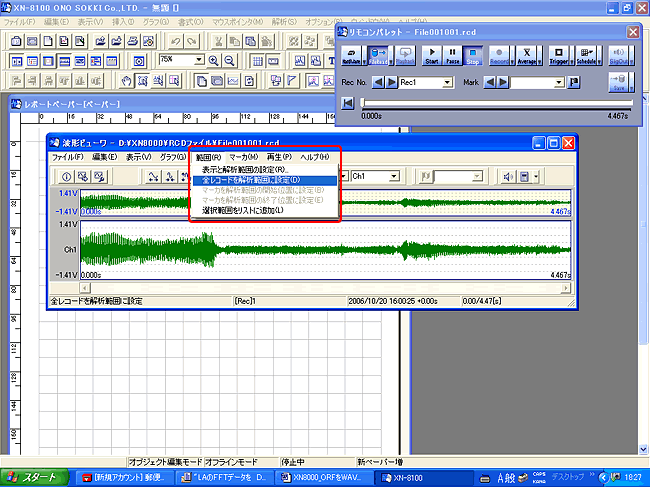
Figure 4
- Exporting files
- Click on 'File → Export' to open the 'Export File' dialog (Figure 5).
- Select 'File Save Format: wave (*.wav)' in the 'File Export' dialog.
- Set "Folder: C", "File Name: Data (optional)", and "Number: 1 (optional)" and click the [Save] button. It will be converted to a WAV file and saved.
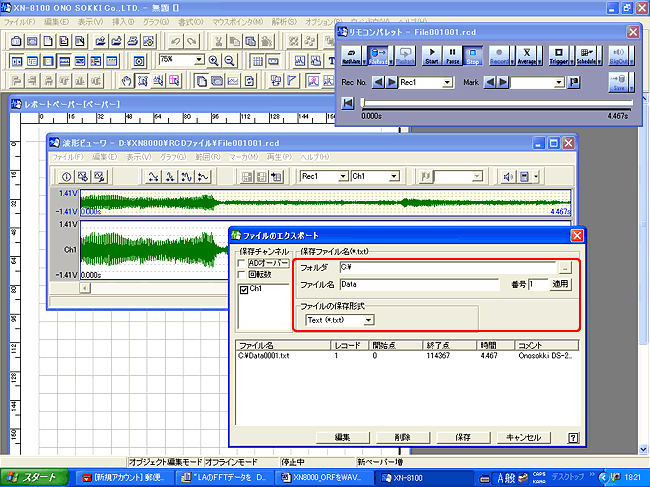
Figure 5
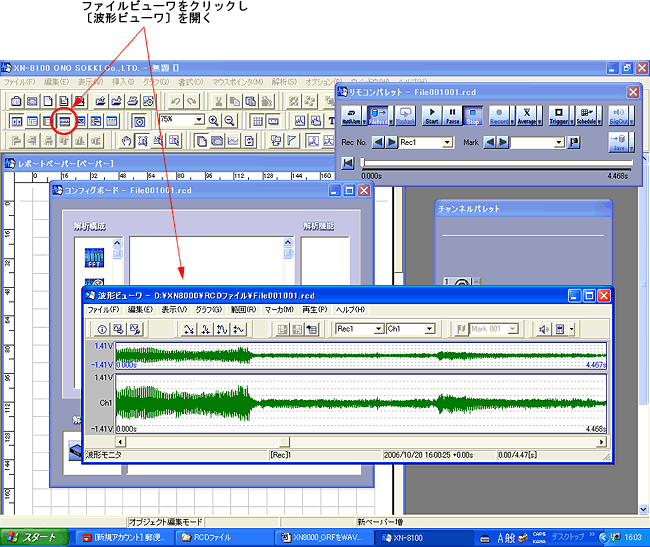
Figure 3
Last updated date: 2006-11-20