

Frequently Asked Questions for CF-9200/CF-9400
Question number FAQ-0651
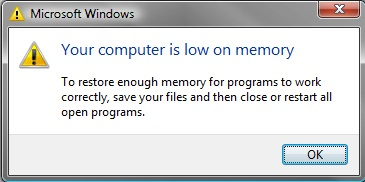
When the power is turned on, a message saying "Your computer is low on memory" is displayed.
1. Phenomenon
A warning message like the following is displayed when powering on the CF-9200/9400.
2. Avoidance Procedure
To delete a message, first transition to the Configuration Mode (CF-9000 Configuration Mode). Please operate the CF-9200/9400 according to the following steps. Additionally, to prevent power disconnection during the operation, connect the included AC adapter to the CF-9200/9400 and perform the following tasks while supplying power from the AC adapter.
Transition to configuration mode.
Tap the soft key from the top mode (HOME) in the order of [System] > [Env Set] > [Config Mode], and then tap OK on the message dialog box that appears.

After the CF-9200/9400 system automatically shuts down, the CF-9000 Configuration Mode screen will be displayed.
Exit configuration mode.
Tap 'Exit' on the CF-9000 Configuration Mode screen to exit the CF-9000 Configuration Mode.
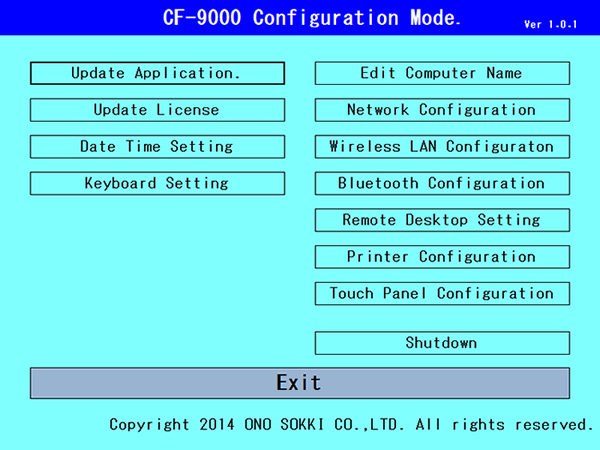
(CF-9000 Configuration Mode screen)
Tapping the OK button in the confirmation dialog box that appears next will automatically shut down the CF-9200/9400.
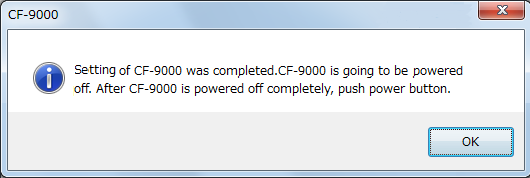
Confirmation
Press the POWER switch on the CF-9200/9400 to turn on the power, and make sure that no warning messages are displayed.
*Even if this warning message is displayed, it will not affect the functionality, performance, or measurement analysis accuracy of the FFT analyzer. Additionally, there are no issues with the data that has been recorded so far.
Last updated: 2016-03-31