

CF-7200 Frequently Asked Questions
Question number FAQ-0624
How to display the power spectrum from a saved time axis waveform.
I will explain the procedure for displaying the saved time waveforms and their power spectra on two screens, one above the other.
Operation Procedure
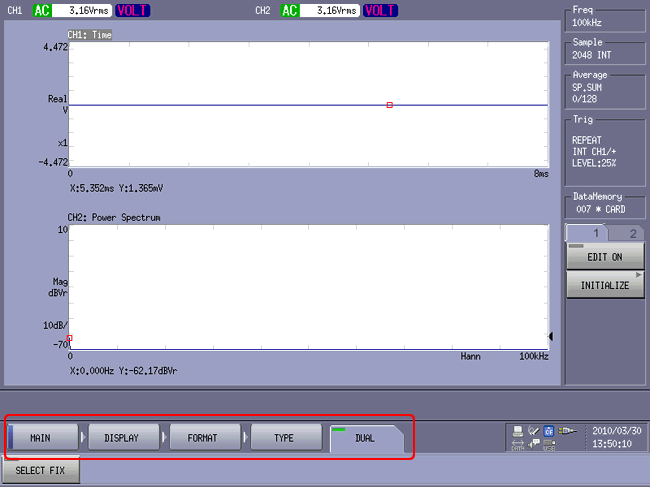
Switch to dual screen display.
Click in the following order: Soft Key [MAIN] → [DISPLAY] → [FORMAT] → [TYPE] → [DUAL] to enable dual screen display.
If you are already in dual screen (DUAL) display mode, this operation is unnecessary.
reading time waveform
Click in the order of Soft Key [MAIN] → [MEMORY] → [DATA] → [LIST] to list the saved data.
Select the time waveform to read from the list and click the [LOAD] key.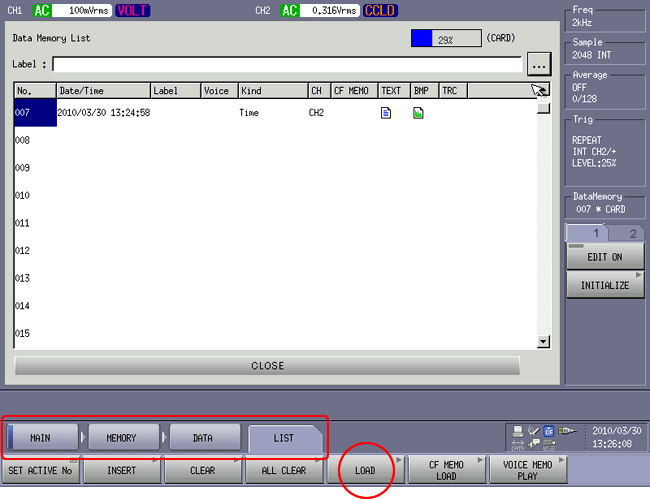
The selected time waveform will be played at the position of the active screen.
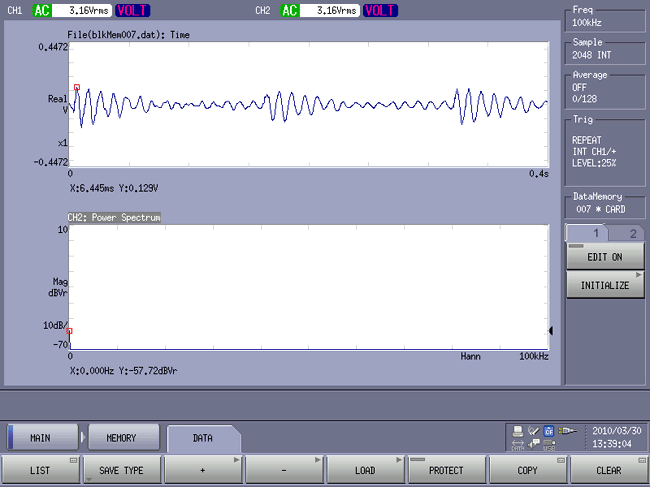
The active screen changes to the one clicked on in the lower section, and the title changes to white text. Here, both screens will play the same time waveform while switching the active screen.
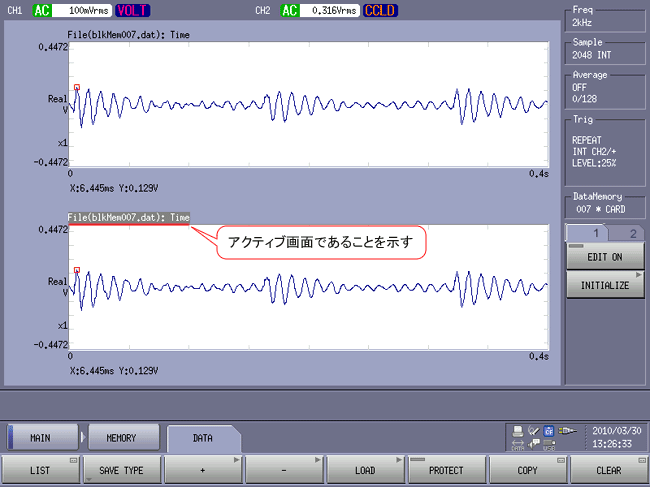
Power Spectrum Display
- Click the lower screen to activate it.
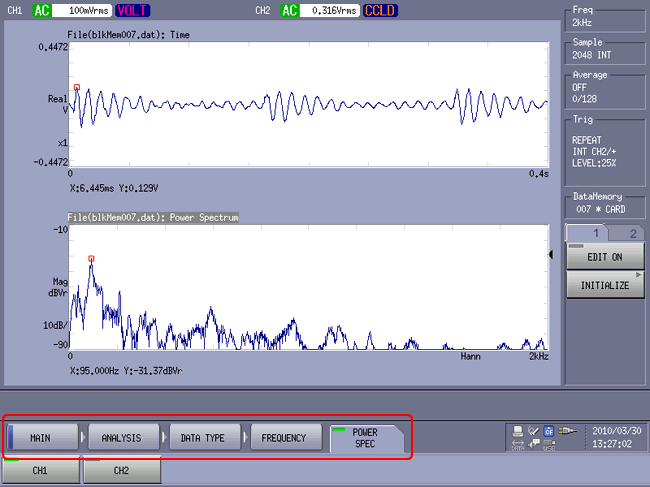
Click in the following order: Soft Key [MAIN] → [ANALYSIS] → [DATATYPE] → [FREQUENCY] → [POWER SPECT]. The time waveform on the lower screen will change to a power spectrum display. Note that CH1 and CH2 keys will be displayed, but please do not touch them as this will display the spectrum data for CH1 and CH2.
Last updated: 2010-04-19