

CF-7200 Frequently Asked Questions
Question number FAQ-0633
There is a function to label (Label) the data that has been SAVED, but what happens to this label when the file is saved?
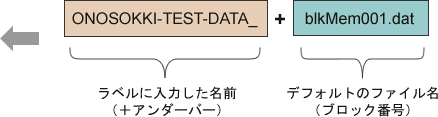
The CF-7200 has a function that allows you to label (Label) the data you have saved. The labels attached to this data will be directly arranged as file names when imported to a PC.
Label specifications
There are the following input restrictions:
Labels can be applied after saving the data.
Cannot label each block in advance.
You can use up to 20 characters on the label.
Operation
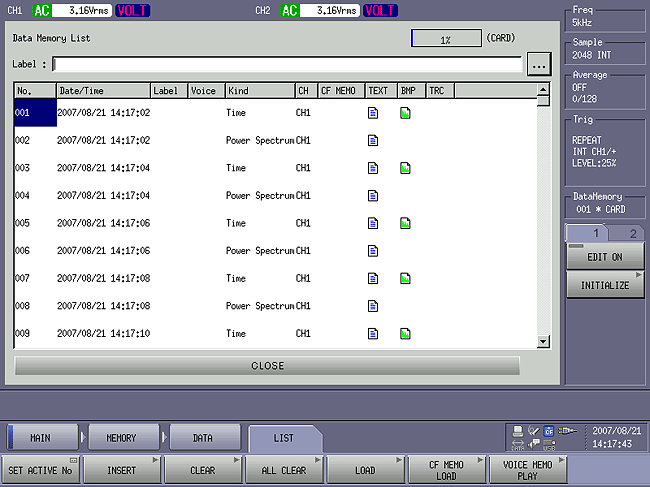
From the menu screen of the CF-7200, select [MAIN] → [MEMORY] → [DATA] → [LIST] to display the "Data Memory List" screen.
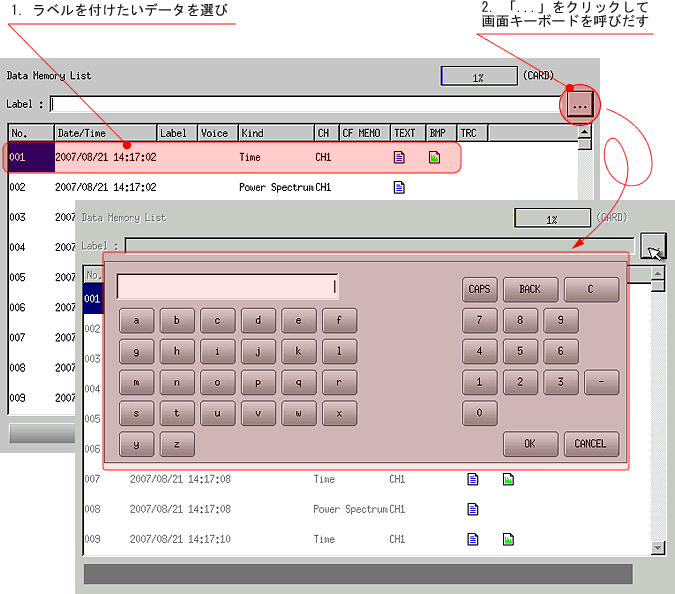
Select the data you want to label, and click the "..." button in the upper right corner of the "Data MemoryList" screen to bring up the on-screen keyboard.
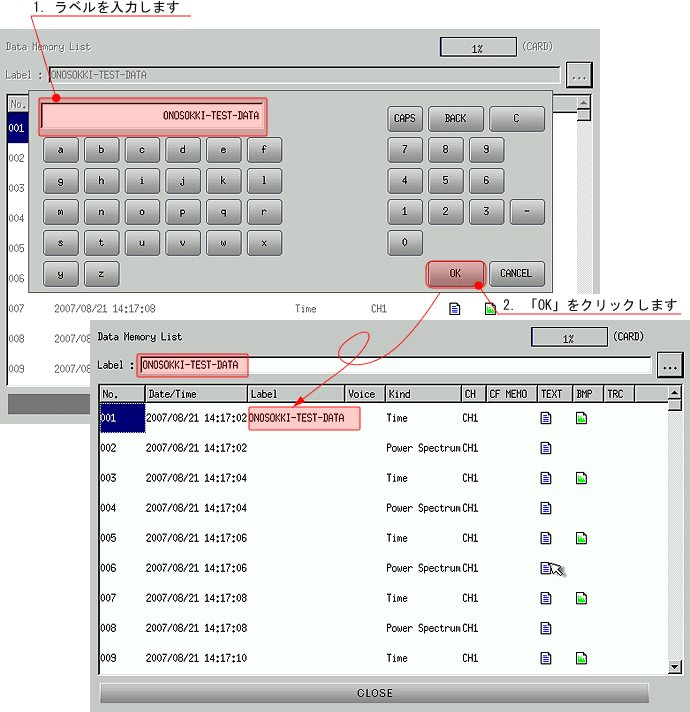
Use the on-screen keyboard to enter the label. The maximum number of characters for the label is 20 in half-width. Once you have finished entering, click the "OK" button to confirm. After confirmation, the label you entered will appear in the "Label" section on the "DataMemory List" screen.
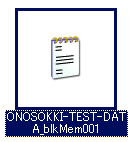
A file will be created with the label name input at the front of the labeled data (and all data saved simultaneously).
 |  |
Last updated date: 2007-09-18