

CF-4700A/CF-4700 Frequently Asked Questions
Question number FAQ-0308
What is the method for sound pressure calibration when using a microphone?
We will set the measurement conditions after initializing.
Initialize => CCLD ON => sound pressure calibration
1.Initialize
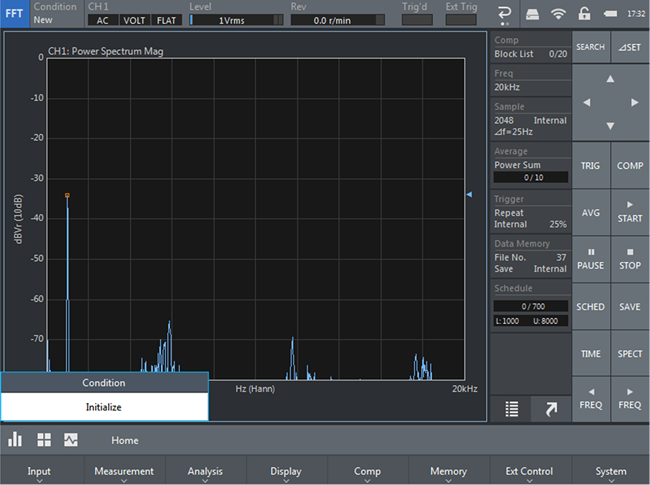
 Touch ← and then touch ↑ initialize to return to the initial state.
2.CCLD ON
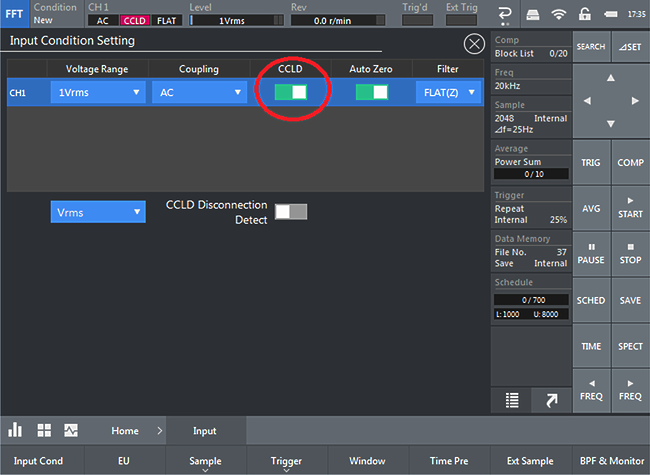
↑Home > Input > Input Cond Connect the microphone and turn on CCLD.
3. Sound Pressure calibration
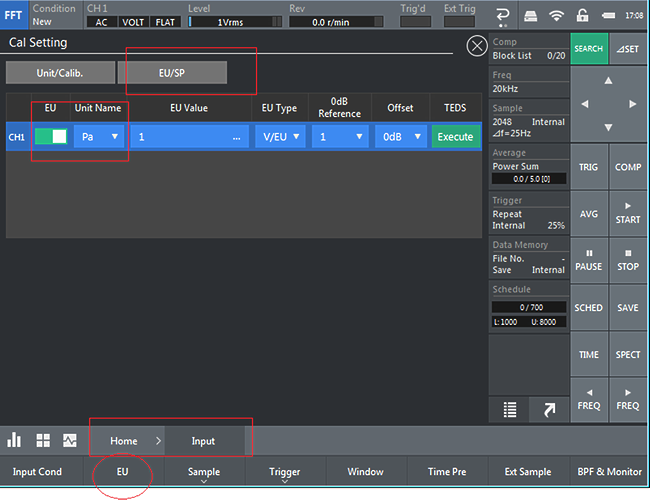
↑ Home > Input > Touch EU
Turn on EU for CH1. The unit name is Pa, touch EU/SP.
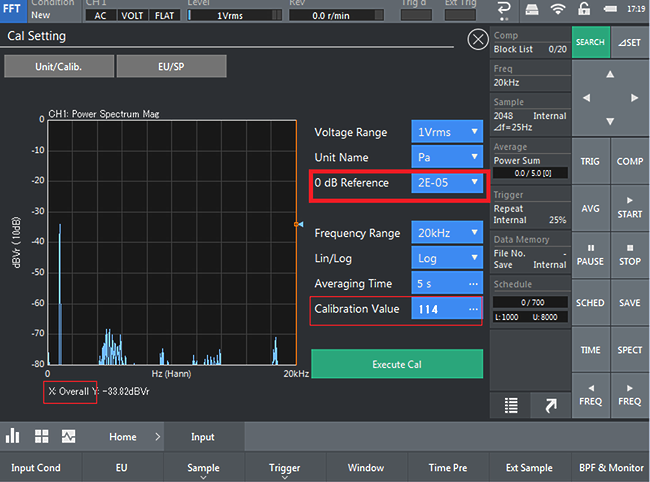
The cursor is overall, 0dB Reference is 2E-05
key in the sound pressure of the acoustic calibration device (here, touch 114). Touch.
Output sound from the acoustic calibration device, turn AVG ON and START.
It will stop in 5s, so after that,Touch.
Last updated date: 2018-03-01