

CF-3600A/3800A Frequently Asked Questions
Question number FAQ-0266
The on-screen keyboard has disappeared.
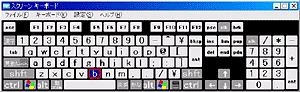
The on-screen keyboard is a standard feature of Windows XP. If the on-screen keyboard has disappeared, you can launch it using the following steps.
Launching the On-Screen Keyboard
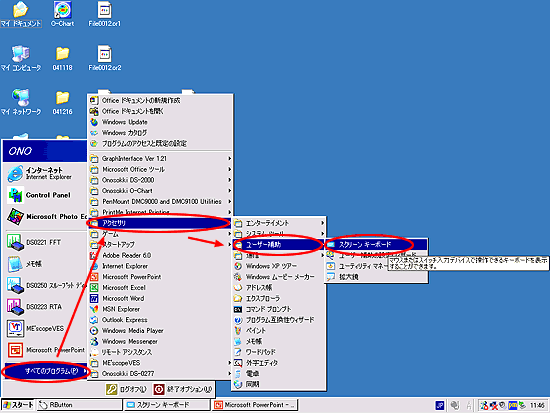
From the Start Menu, select 'All Programs', then click on 'Accessories' and 'Ease of Access' to find 'On-Screen Keyboard'.
|
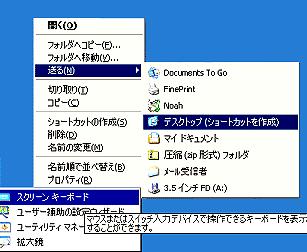
Additionally, it is convenient to create a shortcut for the "On-Screen Keyboard" on the CF-3600 screen. You can create the shortcut by selecting "All Programs" from the Start menu, right-clicking on "On-Screen Keyboard" under "Accessories" in "Ease of Access," and then creating a shortcut on the desktop. From the next time onwards, you will only need to double-click the shortcut on the desktop.
|
Last updated: 2005-02-14