

CF-3000 Frequently Asked Questions
Question number FAQ-0192
Method for displaying power spectrum from time waveform data files.
It is possible to play back TIME data stored in 'dat' format and perform spectral analysis. Additionally, after performing basic arithmetic calculations on the TIME data using the CALC function, it can be temporarily stored in 'dat' format to enable spectral analysis.
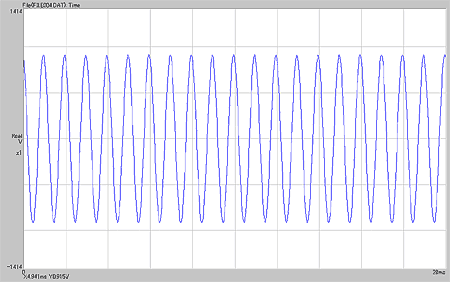
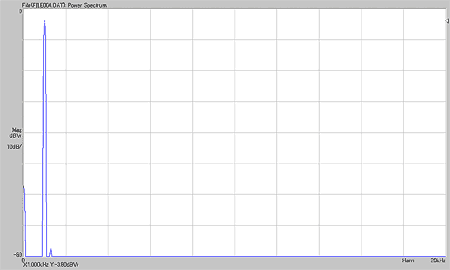
For example, the time waveform of FILE004.DAT will be converted into a power spectrum.
|
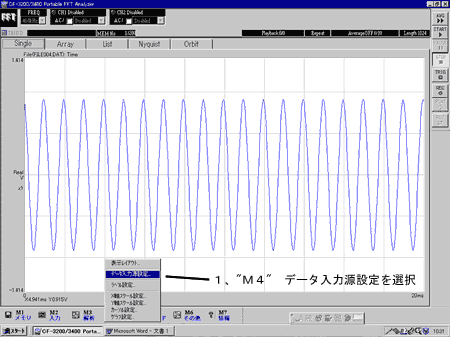
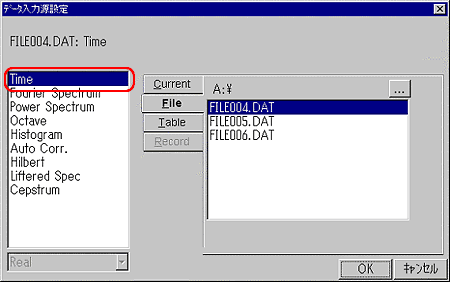
1. Select 'M4' data input source settings.
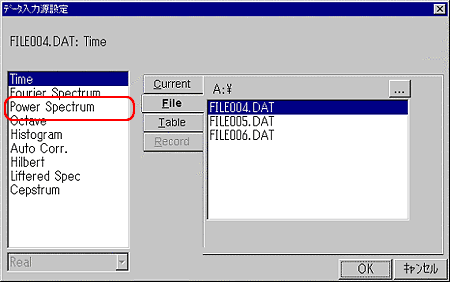
2. Click 'OK' after switching from Time to Power Spectrum.
3. It will be displayed as a power spectrum as shown below.
|
Last updated: March 15, 2002