

Digital Gauge Frequently Asked Questions
Question number FAQ-0073
Example of settings for the comparator function DG-4280
Setting and determination of preset values (common to presets 1 to 4)
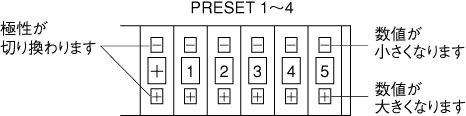
Set the preset value that serves as the criterion for judgment using the digital switch on the front panel.
| Output conditions (judgment criteria) | Judgment Output |
|---|---|
| Setting polarity = measurement polarity and | set value | ≦ | measured value | |
The preset indicator light is lit in red The preset output relay is ON Preset output ON from BCD out connector |
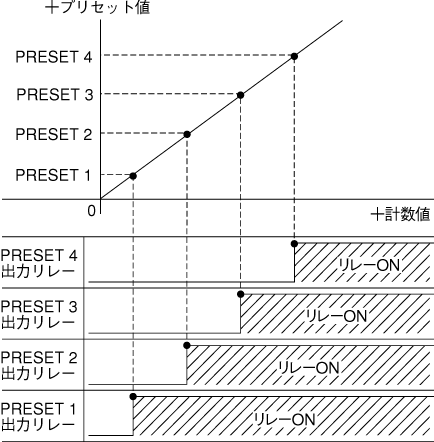
<Example 1> When categorizing measurement results into four ranks.
(All preset values are positive values)
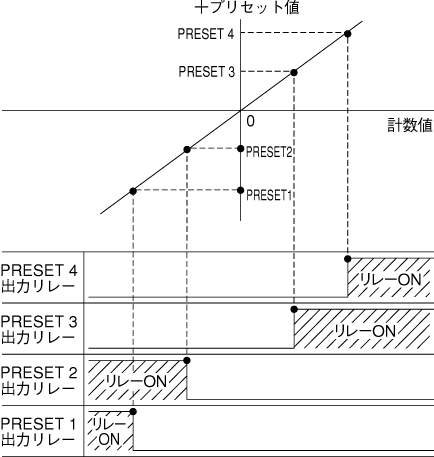
<Example 2> When categorizing measurement results in terms of tolerances.
(Set the preset values by dividing them into positive and negative.)
It is important to be careful about where to zero reset the position of the gauge sensor spindle.
Last updated: 2000-12-08