

DS-2000 Frequently Asked Questions
Question number FAQ-0687
How to convert trace data from DS-0225 3D acoustic intensity software into text data (.txt)
There are three ways to convert trace data for map display into text data (.txt):
■ How to use a text file when running trace
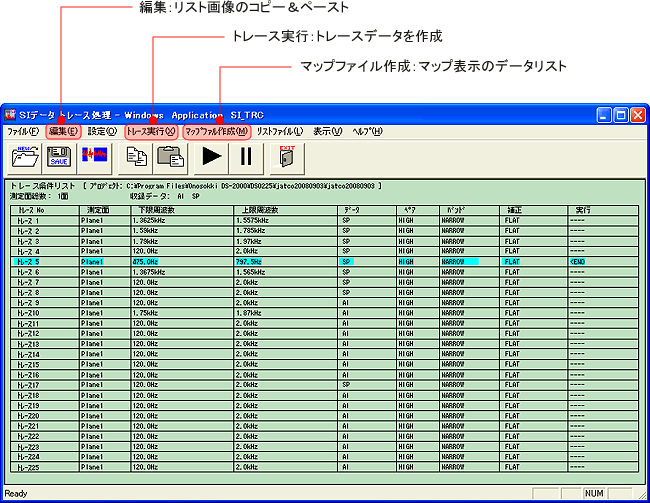
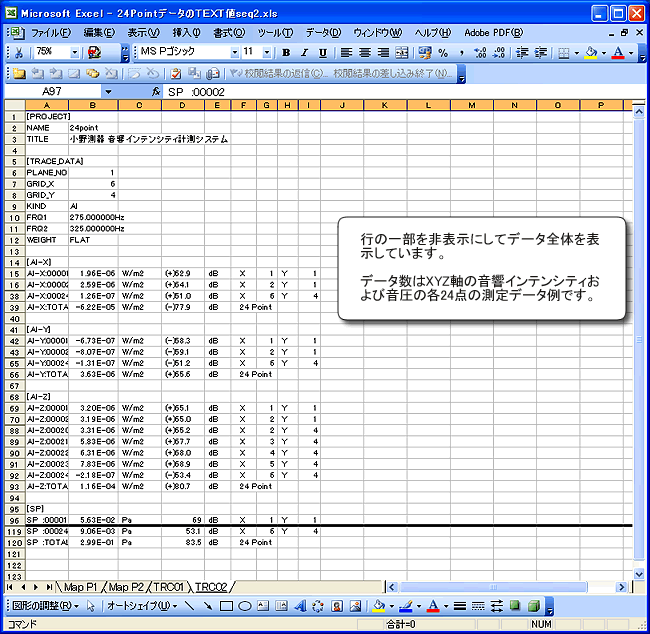
Running the trace will automatically create a text file. The two-digit numbers in the filenames, such as TRC01.TXT and TRC02.TXT, correspond to the trace number. Regardless of the data acquisition order (sequence number) during measurement, the output will be in the order corresponding to sequence 2, but the measurement point positions (XY) will be indicated. Since it is a text file, it can be opened with Excel or similar software.
The image below shows the trace creation screen.
The image below shows the TRC02.txt file created during trace generation being opened in Excel.
■ How to use the data list for map display
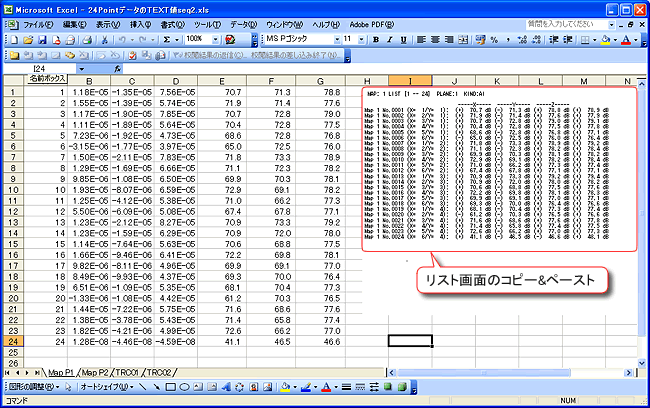
Use the "Data List" option in the "Format" menu. Specify the map number you want to display in "Specify Data List" under the "Settings" menu, and the list will be displayed. The data will be displayed on the screen in an order corresponding to Sequence 2, rather than the order in which the data was recorded during measurement (sequence number), and the measurement point positions (XY) will be visible. However, output is only possible by copy and paste (paste) in image format.
The image below shows the "Data List" screen from MAP 1, copied and pasted.
■ How to use the "Edit" copy function in the map display
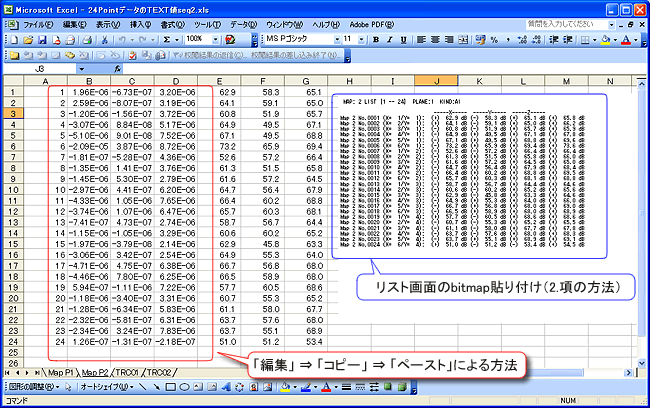
Change the "Copy Mode" in the "Edit" menu to "Text". Copy the data to the clipboard using the "Copy" option in the "Edit" menu, and then paste it into Excel or another application. The output will be in the order corresponding to the data recording order (sequence number) at the time of measurement. Please note that the measurement point position (XY) information is not included.
The image below shows the result after pasting into a cell (red box). For numerical comparison with other methods, I manually added the calculated values and XY positions (values outside the red box).
Last updated: 2009-03-16